You manage 50 units. A tenant reports a break-in at 11 p.m. Another sends blurry photos of a ceiling leak through a group text. A third leaves a voicemail about "something wrong with the heater" -- no unit number, no details. By morning, you're piecing together three channels of half-information trying to figure out who needs what.
The problem isn't the volume. It's the chaos. Information arrives scattered, incomplete, and impossible to act on quickly. Property management forms fix that. When tenants fill out a structured form -- with the right fields, in the right format -- you get clear, consistent details you can act on immediately.
This guide covers four property management forms you actually need: tenant incident reports, property damage reports, maintenance request forms, and property listing information forms. For each one, you'll get the fields to include and why each field matters for faster resolution. For the documents collected when adding a new property, see the property-management owner onboarding checklist.
Need a repair request form specifically? We cover that in our repair request form template guide.
1. Tenant Incident Report Form
Incident reports capture events that affect safety or security -- break-ins, slip-and-fall accidents, noise disturbances, vandalism, fires. These need fast, accurate documentation because they often lead to insurance claims, police reports, or legal proceedings.
The biggest mistake? Collecting details through phone calls or emails hours later. By then, memories are fuzzy and witnesses have left. A structured form captures everything while the incident is still fresh.
Key fields for your tenant incident report
- Tenant name and unit number -- Who is filing and which unit is affected. You'd be surprised how often voicemails skip this.
- Date and time of incident -- Exact date and approximate time. "Last Tuesday" doesn't hold up with an insurance adjuster.
- Location of incident -- Unit interior, hallway, parking lot, laundry room, stairwell? Liability often hinges on this.
- Type of incident -- Dropdown: break-in, theft, assault, fire, flood, slip/fall, noise disturbance, vandalism, pest issue, other. Lets you categorize and track patterns.
- Detailed description -- Free-text for what happened in the tenant's own words. What they saw, heard, and did.
- Witnesses -- Names and contact info for anyone who saw the incident. Witnesses disappear fast -- capture this immediately.
- Injuries -- Who was injured, what happened, and did they seek medical attention? This field protects you in liability disputes.
- Police or emergency services involvement -- Was 911 called? Include the police report number if one was filed.
- Photos and video -- Scene, damage, injuries. A photo of a kicked-in door tells an insurance company more than any written description.
- Prior incidents -- Has the tenant reported similar issues before? A pattern changes how you respond.
- Immediate action taken -- What did the tenant do after? Called police, contacted a neighbor, secured the area?
- Preferred contact method -- Phone, email, or text? Best time to reach them for follow-up.
Pro tip: Add a disclaimer at the top: "This form does not replace a police report or 911 call." You don't want someone filling out a form while their apartment is flooding.
2. Property Damage Report Form
Damage reports document physical damage to your property -- from tenants, weather, accidents, or wear and tear. Unlike incident reports, the focus is on the property, not the event. A pipe bursts and floods a unit -- the incident report covers what happened, the damage report covers the ruined flooring and drywall.
Solid damage reports support insurance claims, help you determine tenant responsibility when deposits are on the line, and build a maintenance history so you can budget for repairs instead of getting blindsided.
Key fields for your property damage report
- Reporting tenant's name and unit number -- The person reporting may not be responsible. A neighbor might spot a broken window first.
- Date damage was discovered -- Insurance companies care about timelines. A three-week delay in reporting water damage raises very different questions than a same-day call.
- Damaged area or item -- Flooring, walls, appliances, fixtures, windows, doors? "Kitchen floor" is better than "floor."
- Type of damage -- Dropdown: water damage, fire damage, mold, structural, cosmetic, electrical, plumbing.
- Cause of damage -- Tenant negligence, weather event, equipment failure, wear and tear, unknown? This field determines who pays.
- Description of damage -- How extensive, is it getting worse, has it affected neighboring units?
- Photos of damage -- Multiple uploads: different angles, close-ups, wide shots. Before-and-after photos can make the difference between an approved and denied claim.
- Estimated cost of repair -- Optional, but helps you prioritize and budget early.
- Insurance claim filed? -- Has the tenant filed a renter's claim? Have you filed a property claim? Avoids duplicate work.
- Tenant responsibility acknowledgment -- Checkbox: did the tenant cause the damage? Not legally binding on its own, but useful in deposit disputes.
- Urgency level -- Emergency (active water leak, exposed wiring), urgent (broken lock), or routine (scuffed walls).
- Previous damage to this area -- Recurring damage to the same spot signals a deeper problem that wasn't fixed right.
Pro tip: Take photos during move-in inspections and keep them on file. When a damage report comes in, you can compare against the move-in condition -- the single most useful record in any deposit dispute.
3. Maintenance Request Form
This is the everyday workhorse: leaky faucets, broken blinds, dead appliances, HVAC issues, clogged drains. For a full repair request form with vendor coordination, see our repair request form template. The form below is a streamlined intake version -- the one your tenants fill out.
A maintenance request captures the problem from the tenant's side. A repair request tracks the fix on yours -- vendors, parts, completion.
Key fields for your maintenance request form
- Tenant name, unit number, and contact info -- So your maintenance team can reach the tenant directly if they need access.
- Category of issue -- Dropdown: plumbing, electrical, HVAC, appliance, pest control, locks/security, structural, landscaping, other. Lets you route requests to the right person without reading every submission.
- Description of the problem -- What's happening, when did it start, is it getting worse? This keeps your team from showing up with the wrong tools.
- Location within the unit -- Kitchen, bathroom, bedroom, living room, balcony, garage.
- Urgency -- Emergency (flooding, no heat in winter, gas smell), urgent (broken lock, no hot water), or routine (squeaky door, slow drain).
- Photos or videos -- A 10-second video of a strange HVAC noise tells your tech more than three paragraphs ever could.
- Permission to enter -- Can maintenance enter if the tenant isn't home? Capture this upfront to avoid delays.
- Preferred availability -- Morning, afternoon, weekday, weekend? Getting this upfront saves two or three rounds of phone tag.
- Previous requests for this issue -- Repeat issues mean the last fix didn't hold. Your tech needs to know before showing up.
Pro tip: Add a note at the top telling tenants to call your emergency line for gas leaks, flooding, or fire -- not submit a form.
4. Property Listing Information Form
This form flips the direction. Instead of collecting from tenants, you're collecting from property owners to build accurate listings when a unit opens up.
If you manage for multiple owners, you know this one: an owner says their unit is ready, gives you a two-sentence description and zero photos, then asks why it's been vacant for three weeks. This form gets you everything you need to list fast -- without five rounds of follow-up emails.
Key fields for your property listing information form
- Property address and unit number -- Full address including city, state, zip, and building name if applicable.
- Property type -- Single-family home, apartment, condo, townhouse, duplex, studio.
- Bedrooms and bathrooms -- Number of each, half-baths noted separately. The first filter tenants use when searching.
- Square footage -- Total livable space. Listings without square footage get scrolled past -- tenants treat it as a red flag.
- Monthly rent and deposit -- Rent, security deposit, and any other move-in costs. Hidden fees at signing are the fastest way to lose a qualified applicant.
- Availability date -- A specific date is better than "immediately" -- it helps tenants plan their move.
- Lease terms -- 12-month, 6-month, month-to-month? Saves you from showing a unit to someone who needs a 3-month sublet when you require a year.
- Amenities and features -- Checklist: in-unit laundry, dishwasher, central air, parking, balcony, storage, pool, gym, hardwood floors, recent renovations.
- Utilities included -- What's included in rent vs. tenant-paid: water, sewer, trash, electric, gas, internet.
- Property photos -- Every room, exterior, common areas, and standout features. Listings with 10+ photos consistently outperform those with fewer -- some platforms report 2-3x more inquiries.
- Pet policy -- Pets allowed? Breed or size restrictions? Pet deposit or monthly pet rent? Over half of renters have pets -- this is often the first thing they check.
Pro tip: Include a field for "anything else a prospective tenant should know" -- nearby construction, shared walls, quiet hours. These details don't fit into categories, but they often close the deal or prevent complaints later.
Collect Property Management Forms with File Request Pro
Paper forms get lost. Email threads bury attachments. Group texts give you blurry photos with no context. The more properties you manage, the more time you spend chasing information that should have been captured right the first time.
File Request Pro lets you build branded form pages with custom fields, file uploads, and automatic organization -- so tenants and owners submit everything in one place, from any device, without needing an account.
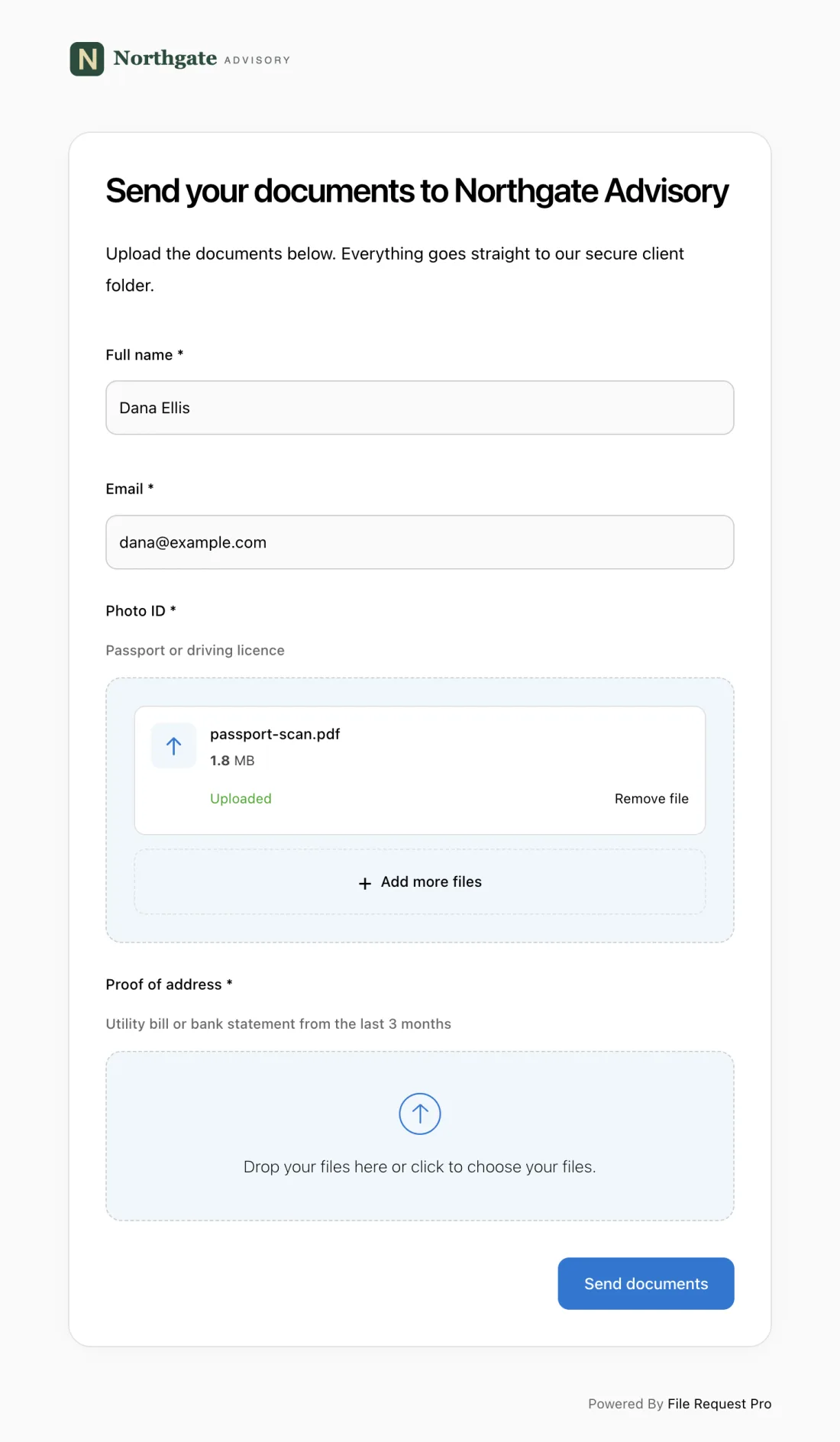
- Custom form fields and file uploads on one page. Build any of the four forms above with text fields, dropdowns, checkboxes, and file uploads -- all in a single submission.
- No tenant accounts needed. Tenants click your link and start filling in the form. No sign-up, no login, no app download. Fewer barriers means more completed submissions.
- Automated reminders. If someone starts a report but doesn't finish, File Request Pro sends a reminder automatically. You stop chasing people for half-completed submissions.
- Cloud storage sync. Every submission syncs to your Google Drive, OneDrive, or SharePoint in organized folders -- files included. No manual downloading, no hunting for that one photo a tenant swears they sent.
- Photo and video uploads. Tenants upload directly from their phone -- incident scenes, damage evidence, maintenance issues. Files go straight into your organized folders, not a group text.
- Branded experience. Add your company logo, colors, and messaging. Tenants see a professional page that looks like yours, not a generic form builder.
Whether you're collecting incident reports at 11 p.m. or listing details from an owner across the country, File Request Pro gives you one consistent way to get what you need -- complete and organized. Try it free for 14 days.
Best Practices for Property Management Forms
1. Keep forms short and focused
Each form should do one thing. Don't combine your incident report with your maintenance request. A focused 8-12 field form gets completed. A 30-field catch-all gets abandoned.
2. Use required fields strategically
Mark must-have fields as required: unit number, description, urgency, contact info. Leave fields like estimated repair cost optional. Require everything and tenants abandon the form. Require nothing and you'll get "it's broken" with no details.
3. Standardize with dropdowns and checkboxes
For incident type, damage category, and urgency level, use dropdowns instead of free text. Standardized options let you filter and spot trends across your portfolio. A dropdown that says "Plumbing" is reportable. A tenant writing "water thing broken" is not.
4. Set response time expectations on the form
"Emergency: same-day. Urgent: within 24 hours. Routine: within 48 hours." Print this on the form. When tenants know what to expect, they stop calling for updates.
5. Review forms quarterly
If tenants keep leaving a field blank, rephrase or remove it. If you keep asking the same follow-up question after every submission, that's a missing field. Your forms should evolve with your operation.
Frequently Asked Questions
What is the difference between an incident report and a damage report?
An incident report documents an event -- a break-in, a slip-and-fall, a noise disturbance. A damage report documents physical damage to the property -- water damage, broken fixtures, structural issues. One event can trigger both: a pipe bursts (incident) and the resulting flood ruins the flooring (damage). Keep them as separate forms so each stays focused.
How do I get tenants to actually fill out property management forms?
Make it easy and make it the only option. Use online forms that work on mobile, don't require an account, and take under five minutes. Set the expectation in your lease: all requests go through the form. When you stop accepting texts and voicemails, tenants adapt fast.
Should I use paper forms or digital forms?
Digital. Paper forms get lost, can't include photos, require manual data entry, and make it nearly impossible to search past records. Digital forms organize submissions automatically, support file attachments, send reminders, and sync with cloud storage.
How many forms does a property manager need?
Start with five: a tenant screening questionnaire, an incident report, a damage report, a maintenance request form, and a property listing form. Depending on your operation, you might also add move-in/move-out inspection forms and lease renewal forms. But those five cover the daily essentials.
What's the best way to organize form submissions?
By property first, then form type, then date. So: 123 Oak St > Maintenance > 2026-02. Google Drive or OneDrive work well -- especially when your form tool syncs submissions into the right folder automatically.
Can tenants submit forms from their phone?
They should be able to. Most tenants notice issues while standing in front of them. If your form works on mobile with photo uploads, they document the problem on the spot. If it requires a desktop, they'll forget or call you with a vague description.
Free Client Onboarding Checklist
Get the complete document checklist for your industry — interactive, with progress tracking.
Use the Free Checklist Tool →