A leaking faucet at 9 PM on a Friday. A tenant texts you a blurry photo with "water everywhere." You ask for the unit number. No reply until Monday. By then, the water has warped the floor, mold is spreading, and a $200 fix has turned into a $3,000 nightmare. This is what happens when repair requests live in text threads, voicemails, and sticky notes — details get lost, response times stretch, and small issues snowball into expensive disasters.
Below you'll find a complete repair request form template with 30+ fields organized by category, a step-by-step workflow from submission to resolution, and form variations for different property types. Copy what fits your properties, skip what doesn't, and start collecting structured repair requests your maintenance team can act on the same day.
What Is a Repair Request Form?
A repair request form is a standardized document that tenants or building occupants fill out to report maintenance issues. Instead of fielding scattered texts, emails, and hallway conversations, you get every detail your maintenance team needs in one place: what's broken, where it is, how urgent it is, and what it looks like.
Good repair request forms do three things:
- Cut the back-and-forth — The form asks the right questions upfront, so your team stops chasing missing details
- Speed up resolution — Clear location, urgency, and problem details let maintenance staff prioritize and show up prepared
- Create a paper trail — Every request is documented with timestamps and photos, protecting you and your tenants when disputes come up
Repair Request Form Template: 30+ Fields by Category
Not every field applies to every property. Pick what matches your situation and skip the rest.
Tenant / Requester Information
- Full name — Who is submitting the request?
- Email address — For status updates and follow-up.
- Phone number — In case maintenance needs to coordinate access.
- Preferred contact method — Phone, email, or text.
- Tenant or occupant type — Tenant, subtenant, employee, or visitor.
Property and Unit Details
- Property address — Essential if you manage multiple buildings.
- Unit or suite number — Pin down the exact unit so your team doesn't show up at the wrong door.
- Building name or number — For multi-building complexes or campus-style properties.
- Floor level — Helpful for high-rises and multi-story commercial buildings.
- Room or area — Kitchen, bathroom, bedroom, hallway, common area, parking garage, etc. Dropdown options work well here.
Issue Description
- Issue category — Plumbing, electrical, HVAC, appliance, structural, pest control, exterior/landscaping, safety/security, or other. A dropdown keeps submissions consistent and routes requests to the right technician.
- Brief description — A one-line summary, e.g., "Kitchen sink leaking under the cabinet."
- Detailed description — What happened, when it started, and what they've tried. "The toilet has been running nonstop since Tuesday" tells you more than "toilet broken."
- When did the issue start? — Date or approximate time frame.
- Is this a recurring issue? — Yes/No. Repeat problems often point to a deeper root cause.
- Has any temporary fix been attempted? — Prevents duplicate effort and flags safety concerns.
Urgency and Scheduling
- Urgency level — Emergency (safety hazard, flooding, no heat), urgent (within 24 hours), routine (within a week), or low priority (cosmetic). Define each level on the form so tenants choose accurately.
- Is the unit habitable? — Yes/No. A "no" triggers emergency response.
- Does this affect common areas or other units? — A burst pipe in one unit can damage the unit below.
- Preferred date and time for maintenance visit — Collecting availability upfront cuts rescheduling.
- Can maintenance enter without you present? — Yes/No. Check your lease terms and local laws on entry notice requirements.
- Pet in the unit? — Yes/No, and what type. Maintenance workers need to know before entering.
Photos and Documentation
- Photos of the issue — At least one clear photo. Pictures eliminate guesswork and help your team bring the right tools and parts.
- Video of the issue (optional) — Useful for intermittent problems like a garbage disposal that only makes noise under load.
- Photo of appliance model/serial number — Lets your team order parts before the visit instead of making two trips.
- Previous repair documentation — Invoices, reports, or photos from earlier attempts on the same issue.
Internal Use (Maintenance Team)
These fields are filled in by your team, not the tenant. Include them on your internal tracking version of the form.
- Request ID / ticket number — Auto-generated for tracking.
- Date received — Timestamp of submission.
- Assigned technician — Who is responsible for the work.
- Priority classification — Your team's assessment (may differ from the tenant's selection).
- Estimated cost — For budgeting and owner approval.
- Parts or materials needed — What the technician needs to bring or order.
- Scheduled repair date
- Completion date
- Resolution notes — What was done and any follow-up needed.
- Tenant satisfaction confirmed — Yes/No. Closes the loop and catches anything missed.
Maintenance request form template
A maintenance request form records what is broken, its location, when the problem began, whether it is urgent, and when a technician can enter. With those details, a property manager or facilities team can triage the problem and open a repair work order without another round of emails.
| Field | Example prompt |
|---|---|
| Requester | Name, unit or department, email, and phone number |
| Location | Property, building, floor, room, or unit |
| Problem | What is broken, leaking, blocked, damaged, or not working? |
| Started | When did you first notice the problem? |
| Impact | Is the area unusable, unsafe, or causing further damage? |
| Evidence | Upload clear photos or a short video |
| Access | When can a technician enter, and must someone be present? |
Do not ask the requester to diagnose the cause. Ask for things they can observe: where the water appears, which outlets have stopped working, the exact error on the display, or which appliance function fails.
Tenant repair request form vs. maintenance work order
A tenant repair request form describes the problem from the occupant's point of view. A maintenance work order is the team's internal record for assigning a technician, approving costs, tracking parts and labor, and closing the job. Link the two records, but keep internal fields off the tenant's form.
| Record | Completed by | Contains |
|---|---|---|
| Tenant repair request | Tenant or occupant | Location, symptoms, urgency, photos, contact details, and access times |
| Maintenance work order | Property manager or maintenance team | Priority, assignee, diagnosis, approval, parts, labor, completion notes, and cost |
Use the same request number on both records. The tenant only sees a straightforward form. The maintenance team keeps the assignment, cost, and completion details in its work order.
Repair Request Workflow: From Submission to Resolution
A good form is only half the equation. You also need a clear workflow so requests don't sit in a queue while pipes keep leaking.
Step 1: Request Submission
The tenant fills out the form and uploads photos. They get an immediate confirmation — this alone cuts down on "did you get my message?" follow-ups.
Step 2: Triage and Classification
Your property manager reviews the request within a set timeframe (same day for routine, right away for emergencies). They verify the urgency level, check for duplicates, and reclassify if needed. A "routine" request for a toilet that won't flush should get bumped to "urgent" — no working toilet is not routine.
Step 3: Assignment
Route the request to the right person. Plumbing goes to your plumber, electrical to your electrician, general maintenance to your in-house team. Include all details from the form so the technician doesn't have to call the tenant for basic information.
Step 4: Scheduling
Confirm the repair date and time with the tenant, using their preferred availability from the form. Send a reminder 24 hours before the visit.
Step 5: Repair and Documentation
The technician completes the work and records what was done: parts replaced, root cause identified, and before-and-after photos. If the repair reveals a bigger problem, create a separate request for the additional work.
Step 6: Close and Follow Up
Notify the tenant that the repair is complete and ask them to confirm the issue is resolved. Keep all documentation — you'll need it for maintenance planning, insurance claims, and turnover inspections.
Form Variations by Property Type
The same template doesn't fit every property. Here's how to adapt it.
Residential Rentals
For single-family homes, duplexes, and small multi-family buildings. Keep the form simple and the language plain. Add fields for pet information, yard and exterior issues (fencing, sprinklers, gutters), and appliance model numbers. Drop the building/floor fields if they don't apply.
Commercial Properties
Office buildings, retail spaces, and industrial properties. Add fields for business hours, after-hours access procedures, impact on business operations, and tenant improvement vs. landlord responsibility. Commercial tenants expect faster response times and more formal status updates.
HOA and Condo Associations
The key difference: who's responsible for what. Add a "common area vs. owner-responsibility" field. Include options for exterior maintenance (roofing, siding, landscaping), shared systems (elevators, pool equipment, parking garage), and architectural review items. Route common-area issues to the HOA team and owner-responsibility items back to the unit owner.
Facilities and Office Buildings
Corporate facilities teams handle requests from employees, not tenants. Adjust the language — "department" instead of "unit," "employee ID" instead of "lease number." Add fields for equipment asset tags, safety incident classification, and IT infrastructure issues. Include target and actual resolution time fields for SLA tracking.
How to Collect Repair Requests with Photo Uploads
The biggest gap in most repair request processes isn't the form — it's how tenants submit it. If tenants have to print a PDF and slide it under the office door, they'll text you instead. And you're back to chaos.
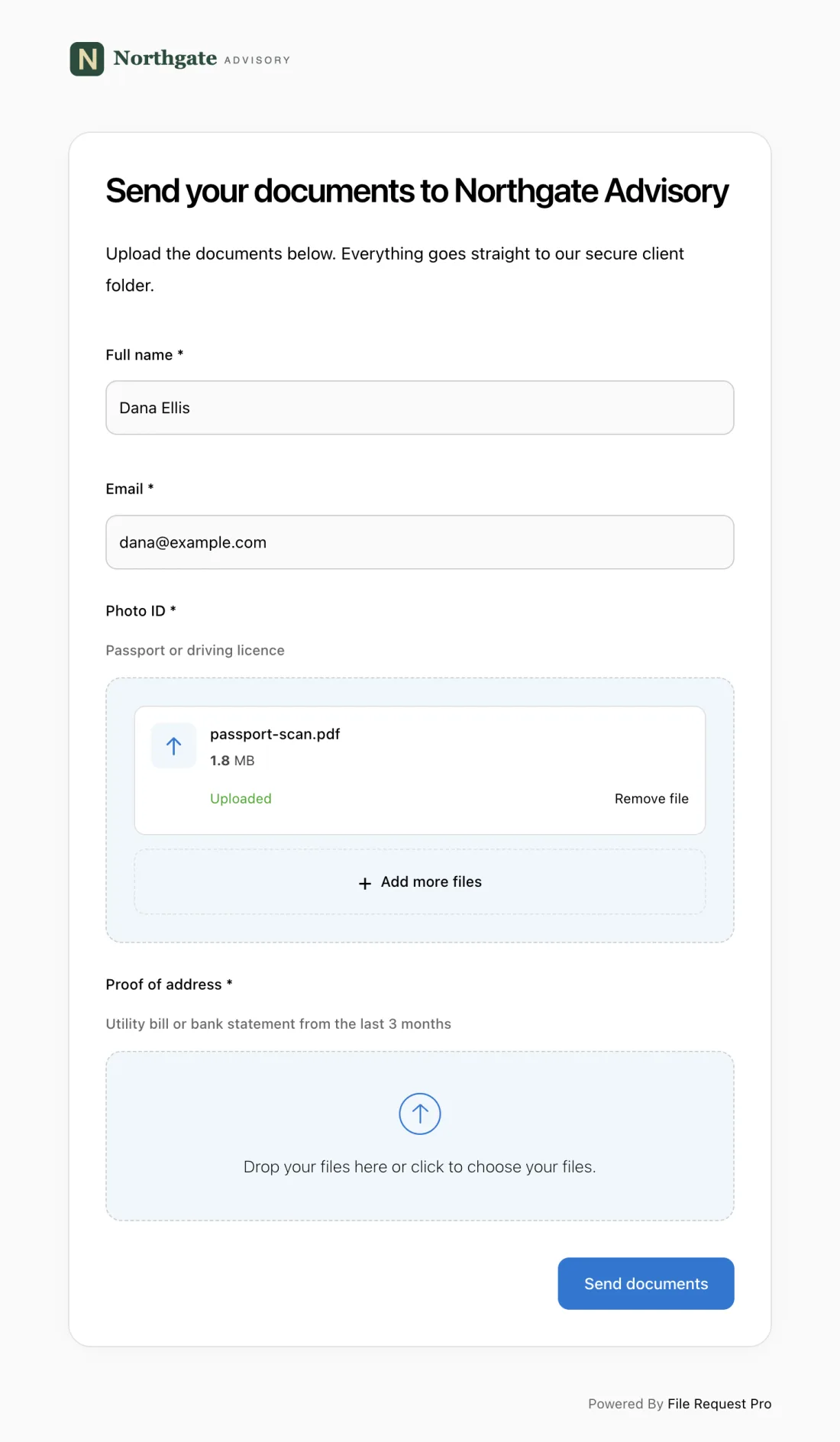
File Request Pro solves this. Set up a branded request page with your repair form fields, share the link with tenants, and they fill out the form and upload photos from any device. No app download. No account needed. No login.
Here's what makes it practical for property managers:
- Photo and video uploads from any device — Tenants snap photos on their phone and upload them with the form. No more blurry text attachments you have to save and sort by hand.
- Automated reminders — If a tenant starts a request but doesn't finish, File Request Pro sends follow-up reminders automatically, so nothing falls through the cracks.
- Cloud storage sync — Submissions are saved to Google Drive, OneDrive, SharePoint, or Dropbox in organized folders. No manual file management.
- Branded experience — The request page uses your company logo and colors (colors on Lite and up), so tenants trust the link and complete the form.
- Form fields and file uploads in one step — Tenants fill out the form and attach photos in a single submission. You get structured data and documentation together, ready for your team to act on.
You can also pair File Request Pro with a document workflow automation system to route submissions to the right team member automatically.
Best Practices for Repair Request Forms
1. Keep the Tenant-Facing Form Short
Your internal tracking form can have 36 fields. The form tenants see should have 12 to 15. Ask for what you need to triage and assign the request — name, unit, category, description, urgency, photos, and availability. Your team fills in the rest after reviewing the submission.
2. Use Dropdowns and Multiple Choice Where Possible
Free-text fields like "describe the issue" are necessary, but structured fields speed up both submission and triage. A dropdown for "issue category" (plumbing, electrical, HVAC, appliance, pest control) lets you auto-route requests to the right technician and pull reports by category at month's end.
3. Require at Least One Photo
A photo is worth a thousand words — and a thousand dollars in prevented misdiagnosis. When a tenant says "the wall is damaged," a photo tells you whether it's a nail hole or a structural crack. Make photos required, not optional, and your team will show up to every job better prepared.
4. Define Your Urgency Levels Clearly
Without clear definitions, every request becomes "urgent." Spell out what qualifies for each level on the form itself. Emergency: immediate safety risk, flooding, gas leak, no heat below 50 degrees. Urgent: impacts daily living but not safety (broken hot water heater, non-functional stove). Routine: inconvenient but livable (dripping faucet, squeaky door). Low priority: cosmetic (scuffed paint, loose cabinet handle).
5. Close the Loop with Tenants
The repair isn't done when the technician leaves. Follow up with the tenant to confirm the issue is resolved. A simple "Has the problem been fixed to your satisfaction?" message takes 30 seconds and prevents callbacks, negative reviews, and lingering issues that grow into bigger problems. If you're collecting requests through a structured form like a tenant questionnaire, apply the same follow-up discipline here.
Frequently Asked Questions
What information should a repair request form include?
At minimum: the requester's name and contact information, property and unit location, description of the issue, urgency level, and at least one photo. For internal tracking, add fields for assigned technician, scheduled date, cost estimate, and resolution notes.
How should tenants submit repair requests?
An online form tenants can access from their phone works best. They can submit the moment they spot an issue, attach photos, and provide structured information your team can act on. Avoid email, texts, and paper forms — they create scattered records and make it hard to track status.
How quickly should property managers respond to repair requests?
Emergencies (flooding, gas leaks, no heat, safety hazards) need a response within hours. Urgent issues should be addressed within 24 hours. Routine repairs within three to five business days. Low-priority cosmetic issues can be batched and handled within two weeks.
What counts as an emergency repair request?
Any issue that threatens tenant safety, could cause major property damage if left unaddressed, or makes the unit uninhabitable. Common examples: flooding, gas leaks, no heat in cold weather, electrical hazards, broken locks, sewage backup, and fire damage. Your lease should spell out what qualifies so tenants know when to call versus when to submit a form.
How do I handle repair requests for issues caused by the tenant?
Document the damage with photos and written notes. Most leases hold tenants responsible for damage beyond normal wear and tear. Complete the repair to prevent further property damage, then invoice the tenant. A well-documented repair request with before-and-after photos and cost records gives you the evidence you need if the tenant disputes the charge.
Should I track repair request data over time?
Yes. Tracking data reveals patterns that save money. If the same HVAC unit breaks down every three months, replacing it costs less than repeated service calls. Monthly reports by category, building, and cost help you plan capital improvements and budget for maintenance.
