A new driver shows up on Monday. By Wednesday, you realize their CDL expired two months ago. Their insurance card is a photo of a photo. And the "vehicle inspection" they swore they completed? Nobody can find it. You're scrambling to pull them off the road before a DOT audit turns a paperwork gap into a five-figure fine. If you've managed a fleet or onboarded drivers for a trucking or delivery company, you've lived this. It traces back to a broken onboarding process.
Below you'll find a complete driver onboarding form template with 33 fields organized by category, compliance requirements for trucking, delivery, rideshare, and fleet operations, plus a simple way to collect every driver document digitally — without chasing people through email and text messages.
What Is a Driver Onboarding Form?
A driver onboarding form captures everything you need before a new driver touches a steering wheel: personal details, license info, vehicle data, insurance, compliance acknowledgments, emergency contacts. It does three things for you:
- Keeps you compliant — collects the documents DOT, FMCSA, and state law require before a driver operates commercially. Miss one, and you're exposed in an audit.
- Reduces your liability — insurance, background check consent, and medical fitness on file before the first trip means you're covered if something goes wrong.
- Gets drivers road-ready faster — vehicle details, training sign-offs, and contact info collected upfront instead of piecemeal over two weeks.
Some companies hand out paper packets during orientation. Others email a PDF and hope it comes back. The format matters less than getting complete, verified information before the first assignment — not after an accident or an audit.
Driver Onboarding Form Template
This template covers the fields most fleet operators, delivery companies, trucking firms, and rideshare platforms need. Adjust based on your industry, state requirements, and vehicle types.
Driver Personal Information
- Full legal name — must match government-issued ID exactly
- Date of birth — for background checks and age verification (CDL minimum: 18 intrastate, 21 interstate)
- Social Security Number — for background screening, drug testing records, and tax docs
- Home address — current residential address
- Phone number — primary contact for dispatch and scheduling
- Email address — for onboarding documents, policy updates, and pay info
- Government-issued photo ID — upload a copy of driver's license, passport, or state ID
License and Certifications
- Driver's license number — include issuing state
- Driver's license class — Class A, B, C, or standard non-CDL (determines which vehicles they can operate)
- CDL endorsements — Hazmat (H), Tanker (N), Passenger (P), Doubles/Triples (T), School Bus (S)
- CDL restrictions — restrictions on the license (air brakes, manual transmission, corrective lenses)
- License expiration date — critical for tracking renewals and preventing lapses
- Copy of CDL or driver's license — front and back upload
- DOT medical certificate (Medical Examiner's Certificate) — required for CDL holders; upload current card
- Medical certificate expiration date — most valid for two years; some one year depending on health conditions
- Previous driving experience — years of commercial driving, vehicle types operated, previous employers
Vehicle Information
- Vehicle year, make, and model — for owner-operators and drivers using personal vehicles
- Vehicle Identification Number (VIN) — for fleet records and insurance verification
- License plate number and state — for toll accounts, parking, and compliance records
- Vehicle registration document — upload current registration
- Most recent vehicle inspection report — DOT annual inspection or company pre-trip inspection form
Insurance and Registration
- Auto insurance provider and policy number — for owner-operators or personal vehicle drivers
- Insurance coverage effective dates — confirm active coverage, no gaps
- Proof of insurance document — upload insurance card or declarations page
- Workers' compensation acknowledgment — driver confirms they understand their coverage status (employee vs. contractor)
Background and Compliance
- Background check consent form — signed authorization for criminal history, MVR, and employment verification. Required by FMCSA for CDL drivers.
- Drug and alcohol testing consent — agreement to pre-employment and random testing under DOT/FMCSA regulations
- Motor Vehicle Record (MVR) — upload recent driving record, or consent for the company to pull it
- Previous employer contact information — FMCSA requires three years of employment history verification for CDL drivers
Training and Acknowledgments
- Safety policy acknowledgment — signed confirmation the driver has read your safety policies, including accident reporting, distracted driving, and hours-of-service rules
- Vehicle operation training completion — sign-off on company-specific training for vehicle types, routes, equipment, or technology (GPS, ELD devices, delivery apps)
- Handbook and policy receipt — signed acknowledgment of receiving the employee or contractor handbook
Emergency Contact
- Emergency contact name, relationship, and phone number — at least one person reachable in case of an accident or medical emergency on the road
Compliance Requirements by Industry
What you're required to collect depends on your industry, vehicle types, and whether drivers cross state lines.
CDL/DOT Trucking
Trucking companies face the tightest requirements. FMCSA mandates these documents before a CDL driver makes a single trip:
- Driver Qualification File (DQF) — application, MVR, road test certificate (or equivalent), medical certificate, and annual driving record review. This is what auditors ask for first.
- Pre-employment drug test — a negative DOT-approved test before the driver's first trip. No exceptions, no grace period.
- FMCSA Drug and Alcohol Clearinghouse query — checks for unresolved violations from previous employers. Required since January 2020.
- Previous employer verification — contact every employer from the past three years to verify safety record and check for drug/alcohol violations.
- Road test or equivalent — a documented road test or a copy of the CDL showing the driver passed the skills test.
- Annual MVR review — pull and review each driver's motor vehicle record at least once per year.
Missing any of these during a DOT audit can trigger fines of $1,000 to $16,000 per violation — and they stack. Three missing files across three drivers is potentially $48,000 worth of problems.
Delivery and Last-Mile
Delivery companies typically run vehicles under 26,001 pounds, so CDL rules may not apply. But skipping onboarding is a fast track to insurance claims. You still need:
- Valid driver's license — class appropriate for vehicle type (most delivery vans need Class C or D)
- Clean MVR — typical thresholds: no DUIs, no more than two moving violations in three years
- Background check — criminal screening; some companies also check for theft or fraud
- Proof of insurance — required if drivers use personal vehicles
- Vehicle inspection — confirm the vehicle meets safety and branding standards
- Technology training — route apps, proof-of-delivery scanners, customer communication tools
Rideshare
If you run your own rideshare or transportation service, your onboarding needs to cover:
- Valid driver's license — minimum age varies by state (typically 21)
- Vehicle age and condition requirements — most platforms require vehicles within 10-15 model years
- Personal auto insurance — at minimum state-required coverage; many states mandate rideshare-specific endorsements
- Vehicle inspection certificate — some states require third-party inspection
- Background check (criminal and driving) — typically seven years of criminal history plus MVR
- Vehicle registration in the driver's name — listed as owner or authorized operator
Fleet Operations
If your employees drive company vehicles — or use their own cars for work — your onboarding needs to cover both scenarios:
- Company vehicle policy acknowledgment — personal use rules, fueling, maintenance reporting, accident protocols, and the process for submitting a mileage reimbursement form
- Driver authorization form — confirms the employee is approved to operate specific vehicle classes
- Insurance verification — confirm personal policies meet company minimums or that company coverage extends to the driver
- Telematics and GPS consent — drivers acknowledge and consent to vehicle tracking
- Fuel card and toll account setup — assign fuel cards, toll transponders, and fleet accounts
- Maintenance responsibility agreement — who handles routine maintenance, tire checks, and mechanical issue reporting
How to Collect Driver Onboarding Documents
The onboarding form is only useful if drivers actually complete it. And that is where most operations hit a wall.
You send a checklist by email. The driver sends back half the documents in three separate texts. The insurance card is a blurry screenshot. The medical certificate never arrives. Your coordinator spends two weeks chasing files instead of getting drivers on the road. Multiply that by ten new hires a month, and onboarding becomes a full-time job for someone who has other work to do.
File Request Pro stops the chase. You build a branded upload page with form fields (name, license number, emergency contact) and file upload fields (CDL copy, insurance card, medical certificate, background check consent). The driver opens one link, fills in the form, uploads their files, and submits everything in one step — from their phone, no account needed.
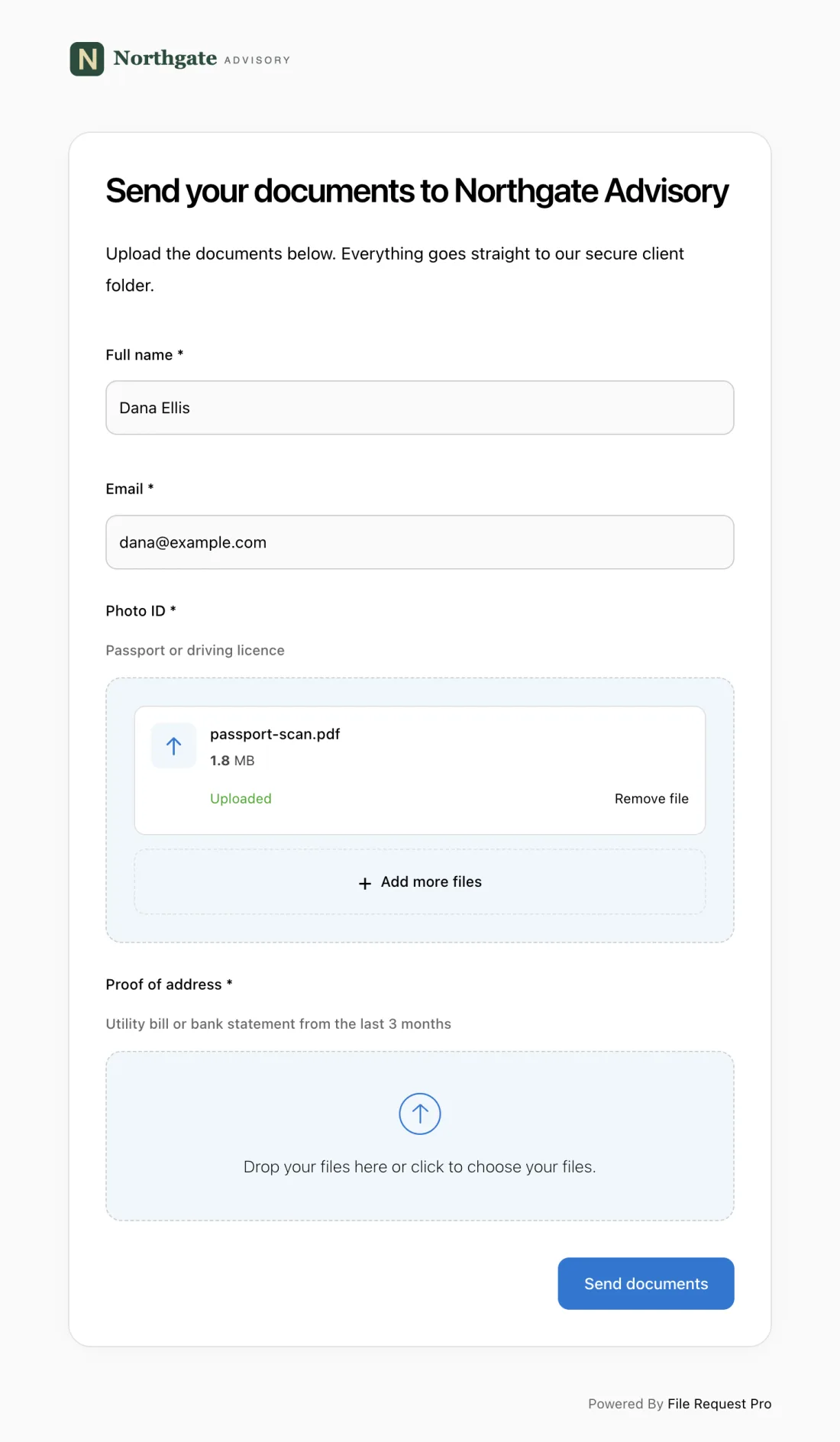
Here is what this looks like in practice:
- One link, everything collected — CDL, insurance, medical certificate, vehicle registration, signed acknowledgments, and personal info. No scattered emails. No missing files.
- Automated reminders that do the nagging for you — drivers who haven't submitted get automatic follow-up emails on your schedule. Your team stops writing "just checking in" messages.
- Cloud storage sync — submitted files land in Google Drive, OneDrive, SharePoint, or Dropbox, sorted into driver-specific folders automatically. No downloading, no renaming, no dragging files between folders.
- No driver account needed — click a link, upload, done. No app, no account, no password. That matters when you're onboarding drivers who work from their phone and don't want another login.
- Your brand, not ours — your company logo, colors, and instructions. Drivers see a professional experience from your company, not a generic file-sharing tool.
- Encrypted from start to finish — SSNs, medical records, and background check data are protected in transit and at rest. You stay compliant with data handling rules without extra steps.
This works whether you're a trucking company building DQFs, a delivery startup onboarding 50 contractors a month, or a fleet manager adding employees to the vehicle roster.
Best Practices for Driver Onboarding
Build expiration tracking into your process
Collecting documents is step one. Tracking when they expire keeps you out of trouble. A lapsed medical certificate on a two-year driver is just as bad as a missing one on day one. Record every expiration during onboarding and set reminders 60 and 30 days before each deadline. A document verification process catches expired credentials before they become audit findings.
Verify documents before the first assignment
Do not let a driver make a single trip until every document is submitted and verified. It is tempting to let someone drive while you "wait for one more document." But if an accident happens and that driver's medical certificate is missing or insurance lapsed, you face personal liability, denied claims, and potential loss of operating authority — not just fines.
Use a single collection point
When documents arrive by email, text, fax, and in-person drop-off, files disappear. A CDL scan buried in someone's inbox, an insurance card saved to a random desktop, a medical certificate that "definitely got sent" but nobody can find. One upload portal means every document for every driver lands in one place. Your compliance team sees at a glance who's complete and who still has gaps.
Keep onboarding and employment records separate
Medical certificates, background checks, and drug test results should live separately from general HR files. DOT auditors ask for Driver Qualification Files — not your personnel folder. Organized DQFs are the difference between a routine audit and a scramble. If you collect employment verification letters from previous employers, file those in the DQF too.
Make the form mobile-friendly
Most drivers will complete onboarding from their phone — in a parking lot, between deliveries, or at home after a shift. If your form requires a desktop or printing a PDF, you'll wait days for documents that should take minutes. Use a digital form that works on any device, lets drivers snap document photos with their camera, and needs no app download.
FAQ
What documents do I need from a new CDL driver?
FMCSA requires a completed application, CDL copy, DOT medical certificate, MVR, negative pre-employment drug test, Clearinghouse query, three years of employer verification, and a road test certificate or equivalent. Together these form the Driver Qualification File (DQF), which you must maintain while the driver works for you — and three years after they leave.
Do non-CDL delivery drivers need the same onboarding documents?
No. Drivers operating vehicles under 26,001 pounds are generally exempt from FMCSA requirements. You should still collect a valid license, clean MVR, background check consent, proof of insurance (for personal vehicle drivers), and signed safety policy acknowledgments. Your insurance provider may require more than the legal minimums.
How long should driver onboarding take?
With a clear digital form, document collection takes 15 to 30 minutes. The full process — background checks, drug testing, employer verification, training — typically runs one to two weeks. A digital tool compresses document-gathering from days of back-and-forth to one sitting, but background checks and verifications have their own timelines.
What happens if a driver starts working before onboarding is complete?
For CDL drivers, it's a federal violation. Running a driver without a complete DQF can mean FMCSA fines of $1,000 to $16,000 per violation. For non-CDL drivers, the risk is insurance and liability — if an uninsured driver causes an accident, your company faces lawsuits, denied claims, and regulatory penalties. Safest rule: no documents, no driving.
How do I handle independent contractor drivers differently from employees?
Contractors bring their own vehicle, insurance, and maintenance — but you still collect the same compliance documents: license, insurance, vehicle registration, background check consent. Add a contractor agreement, proof of commercial auto insurance (not personal), and a W-9. FMCSA requirements apply equally to contractors and employees. Being a 1099 doesn't exempt anyone from the DQF. If an owner-operator signs on as a company, also run them through vendor onboarding so accounts payable has their bank details and insurance certificate before the first payment.
How often should I re-verify driver documents?
FMCSA requires an annual MVR review for CDL drivers. Medical certificates must be renewed before expiration (every one to two years). Insurance and vehicle registration should be checked at each renewal. Smart fleet operators run a full document review quarterly so gaps get caught early, not by an inspector.
Free Client Onboarding Checklist
Get the complete document checklist for your industry — interactive, with progress tracking.
Use the Free Checklist Tool →