UPLOAD PAGES
One upload link.
Files in the right folders.
Give clients a branded place to send files whenever they need to. Their uploads arrive automatically named and organized in the cloud storage your team already uses.
Create your upload page15-day free trial · No credit card required
From client upload to organized files.
Interactive example · Sample files only
Send your monthly documents
Upload your invoices and receipts. We’ll take it from here.
No account needed for your clients.
A place for every upload
Acme Studio - September - invoice.pdf
Acme Studio - September - receipts.pdf
Choose naming and folder rules once. Each client’s answers do the organizing.
Try a different month to see where those files go.
Works with Google Drive, OneDrive, SharePoint and Dropbox.
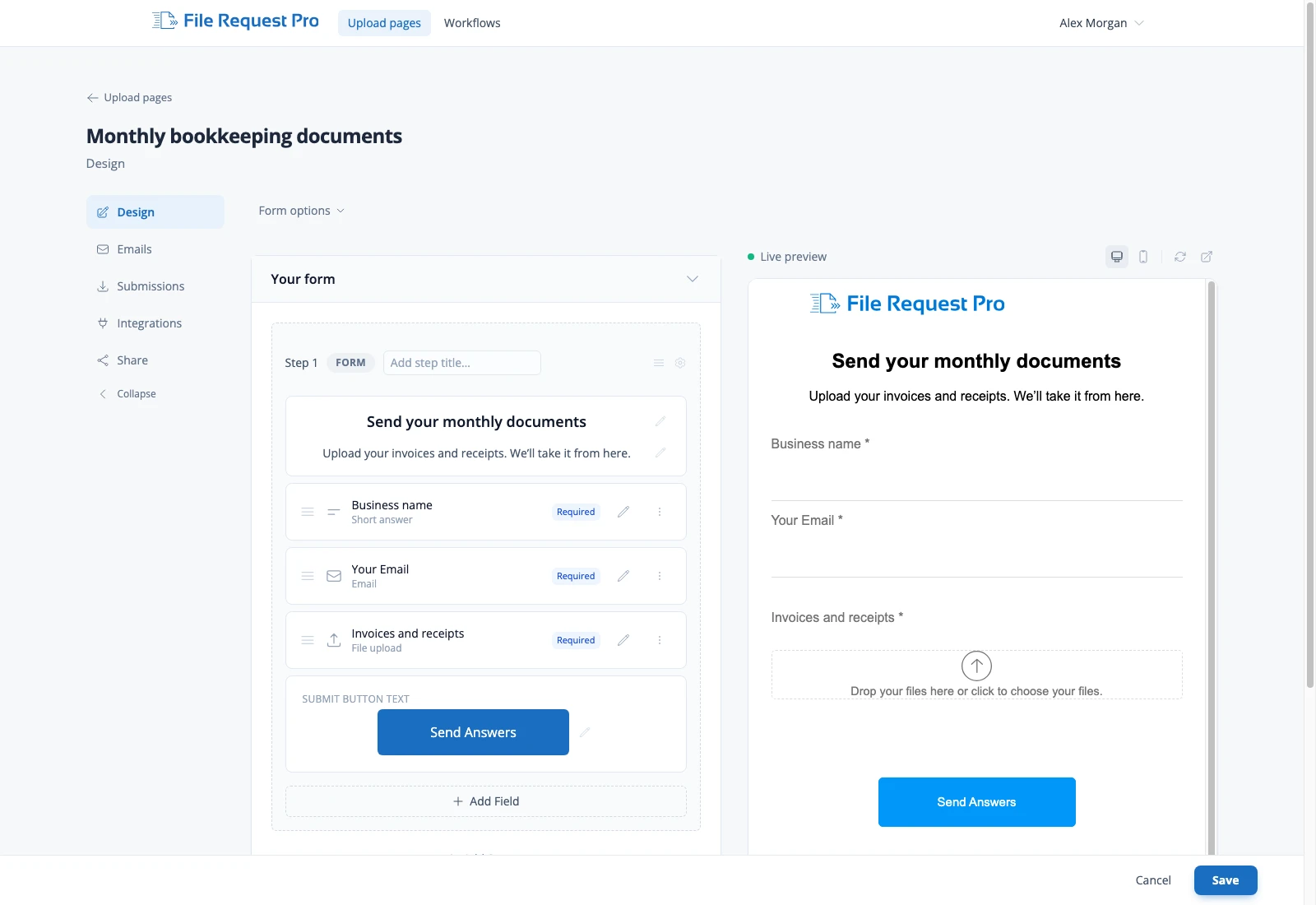
Build your page. See what clients see.
Arrange your questions and upload fields with a live preview alongside your changes.
Set it up once. Keep using it.
Choose the details you need, connect your storage and share your link.
One link you can keep sharing
Put it in your email signature or embed the page on your website. Clients have a familiar place to send their next set of documents.
Branding and embeddingCollect the details alongside the files
Ask for a client name, project or month alongside uploads. Keep it short, or guide clients through a longer collection in clear steps.
Forms and questionsSkip the sorting afterward
Use those answers to name files and create subfolders automatically. Your team gets the documents where they expect to find them.
File naming and foldersWHEN TO USE AN UPLOAD PAGE
One link for ongoing
file collection.
Use an Upload Page when you want a collection link people can return to, or when you don’t know everyone who will need it in advance.
- Monthly bookkeepingA familiar link for clients to send receipts and invoices.
- New client documentsAn upload page on your accounting or lending website.
- Project filesOne place for clients to send copy, images and other assets.
FROM A FILE REQUEST PRO CUSTOMER
File Request Pro allows us to send our clients a link to upload their documents and creates a folder with their name in our Google Drive. Very simple, clean, and efficient. Works better than when I was using Citrix ShareFile at a fraction of the cost.
Easy for clients. Built for confidential files.
No client account required. Files are encrypted in transit and at rest.
Explore security and activity recordsNEED TO FOLLOW UP WITH SPECIFIC CLIENTS?
That’s where Workflows come in.
Send personal request links, set deadlines and track who still needs to respond. Keep the same automatic file organization.
Your next client upload,
already in the right folder.
Create your upload page15-day free trial · No credit card required
Explore all features