WORKFLOWS
Know who still
owes you files.
Send each client a personal upload link. Track responses, schedule reminders and keep received files organized in your cloud storage.
Start your free trial15-day free trial · No credit card required
From a client list to a completed request.
Interactive walkthrough · Sample data, no emails sent
SET UP THE COLLECTION
Decide what you need from each client.
Choose the documents to collect, your cloud folder rules and when reminder emails should go out. Then add the clients who need to respond.
This example collects year-end documents for a bookkeeping team.
Year-end documents
- Documents to collectBank statements and expense receipts
- Where files goClients / client name / year-end
- Reminder schedule3 days after the request, if still outstanding
SEND PERSONAL REQUESTS
Each client gets their own link.
Send an invitation with a deadline. The personal link connects each client’s response to their request, so you know who has sent documents and who hasn’t.
You can personalize the invitation and reminder emails.
TO: ACME STUDIO
Your year-end documents
Hi Alex,
Please send your bank statements and expense receipts by 30 September.
Your personal upload link
Thank you,
Northline Bookkeeping
THE CLIENT RESPONDS
A clear list of what to send.
The client opens their personal link and sends the documents you requested. No account needed. Longer collections can use a guided form with clear steps.
Explore guided formsYour year-end documents
Due 30 September
CHECK WHO STILL NEEDS TO RESPOND
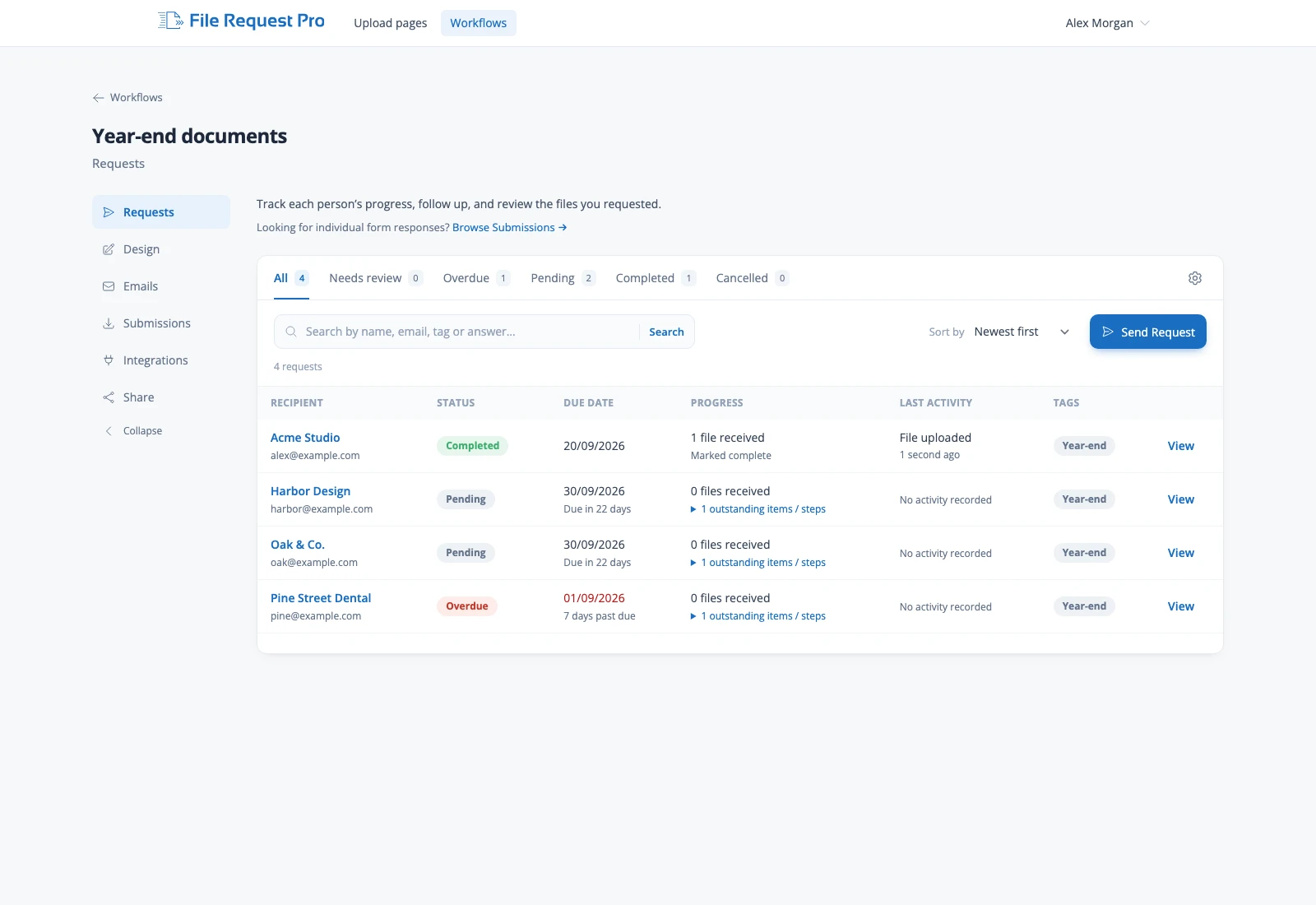
Your whole collection, in one view.
Check each client’s progress, including those who haven’t uploaded anything. Scheduled reminders follow up on outstanding requests and stop once a request is complete.
Acme Studio is still awaiting files. Try completing their sample request in step 3.
Files follow your chosen naming and cloud folder rules.
Walk through the four steps.
Your client requests, together in one list.
Filter by status, check deadlines and progress, and open the request that needs your attention.
Keep collection moving.
One place to manage the requests you send and the files you receive.
See every client’s progress
Check deadlines, responses and outstanding requests in one list.
Client requests and trackingLet scheduled reminders handle the follow-up
Choose when emails go out for outstanding requests. Reminders stop when a request is complete.
Requests and remindersReceive files ready to use
Use client answers to name uploads and create folders in Google Drive, OneDrive, SharePoint or Dropbox.
File naming and foldersWHEN TO USE A WORKFLOW
You know who
you need files from.
Use a Workflow when you have a list of people to contact and need to track each response through to completion.
- Year-end document collectionRequest documents from forty accounting clients and see who’s outstanding.
- Borrower documentsGive each applicant a personal link and a deadline.
- Client onboardingGuide each new client through the documents and details you need.
Personal requests. Confidential documents.
Files are encrypted in transit and at rest. A Data Processing Agreement is available to support your GDPR obligations.
Explore security and activity recordsJUST NEED A LINK PEOPLE CAN KEEP USING?
Start with an Upload Page.
Share one link or embed it on your website. Clients send files whenever they need to, with the same automatic naming and folders.
Your client list.
A clear view of what’s outstanding.
Start your free trial15-day free trial · No credit card required
Explore all features