It's 6 PM, the crew left an hour ago, and you're sitting in your truck trying to remember whether the concrete pour happened before or after the rain delay. The sub swears they had 12 workers on site, but you counted 8. And somewhere between the morning safety briefing and the afternoon delivery, you forgot to document the cracked formwork that shut the job down for two hours.
Daily reports are the most important record on a construction project — and the one most likely to be incomplete, inconsistent, or missing. When a dispute lands on a lawyer's desk 18 months from now, nobody cares about your memory. They care about what you documented that day.
Below you'll find a construction daily report form template with 35+ fields organized by category, variations by role, OSHA documentation requirements, and a field-tested method for collecting daily reports with photos from your crews.
What Is a Construction Daily Report?
A construction daily report is a written record of everything that happened on a job site during a single workday — weather, workforce counts, equipment usage, work completed, materials received, safety incidents, delays, and site photos.
It serves three purposes:
- Legal protection — daily logs are admissible evidence in contract disputes, delay claims, and injury lawsuits. They're often the deciding factor.
- Project tracking — comparing planned progress against daily output reveals problems weeks before they blow the schedule.
- Regulatory compliance — OSHA requires employers to maintain injury and illness records (29 CFR 1904), and daily reports create the contemporaneous documentation that backs those records.
The site superintendent or foreman typically completes the daily report at the end of each shift. On larger projects, each sub submits their own log that rolls up into the GC's master report.
Construction Daily Report Form Template
Not every field applies to every project. Adjust based on project size, contract requirements, and your reporting standards.
Project & General Information
- Project name — the official project name as it appears on the contract
- Project number / job code — your internal tracking reference
- Report date — the date the work occurred, not the date the report was written
- Report prepared by — full name and title of the person completing the report
- General contractor — company name
- Project location / address — street address and any specific area designations (Building B, Phase 2, etc.)
Weather & Site Conditions
- Morning weather — temperature, sky conditions (clear, overcast, rain, snow), wind speed
- Afternoon weather — same categories, recorded after lunch or at shift change
- Precipitation amount — estimated rainfall or snowfall in inches
- Ground conditions — dry, muddy, frozen, standing water
- Temperature high / low — relevant for concrete curing, hot/cold weather work restrictions, OSHA heat illness prevention
- Weather-related work stoppages — start and end times with reason (lightning, sustained winds, heat index)
Workforce Log
- General contractor crew count — workers on site by trade (laborers, carpenters, operators, iron workers)
- Subcontractor names and headcounts — each sub listed with trade and worker count
- Total workforce on site — combined headcount for the day
- Hours worked — start time, end time, and overtime for each crew or sub
- Key personnel on site — PM, superintendent, safety officer, inspectors, owner's rep
- Visitors and inspections — names and affiliations of visitors, building inspectors, OSHA inspectors, testing firms
Equipment Log
- Equipment on site — cranes, excavators, loaders, concrete pumps, generators, lifts, etc.
- Equipment hours — operating hours for each piece, especially rented equipment
- Equipment idle or down — anything on site but not running, with reason (mechanical failure, waiting for parts, weather)
- Equipment mobilized / demobilized — anything that arrived on or left site that day
Work Completed Today
- Work activities by area — what was done, where, and by whom. Be specific: "Poured 45 CY of 4000 PSI concrete for Building A second-floor slab, grid lines 1-4" beats "concrete work."
- Percentage complete by activity — estimated progress against scheduled scope for each major activity
- Inspections passed — inspections completed and results (framing passed, rebar approved with corrections, etc.)
- Tests performed — concrete cylinder tests, soil compaction, weld inspections, pressure tests. Include who performed the test and results.
Materials Delivered & Used
- Materials received — what was delivered, quantity, supplier, delivery ticket number. Note damaged or rejected materials.
- Materials installed — quantities used that day (cubic yards of concrete, tons of steel, linear feet of pipe)
- Material shortages or backorders — anything expected that didn't arrive and its impact on the schedule
Safety & Incidents
- Safety incidents or near misses — time, location, personnel involved, and corrective action taken
- Safety meetings / toolbox talks — topic, who led it, attendance count
- Safety observations — hazards identified and corrected (fall protection, housekeeping, trench protection, lockout/tagout)
- OSHA or regulatory visits — inspector name, agency, areas inspected, citations or recommendations
Delays & Issues
- Delays encountered — cause (weather, material shortage, design conflict, permit hold, no-show), duration, trades affected
- RFIs submitted or answered — RFI number, subject, status. Unanswered RFIs are a common source of delay claims.
- Change orders or directives — scope changes communicated that day (verbal or written), who directed it, what was requested
- Issues requiring resolution — problems needing attention from the PM, engineer, architect, or owner
Photo Documentation
- Site photos — overview shots, close-ups of completed work, incident or defect photos, delivery documentation. Label with location and what it shows.
- Additional notes — anything that doesn't fit the categories above but belongs in the project record
Why Daily Reports Matter More Than You Think
Daily reports feel like busywork — until you need them. Here's when they earn their keep.
Dispute resolution and delay claims. Construction disputes come down to documentation. When a sub files a delay claim, the arbitrator wants daily logs from the days in question. Reports written the same day carry far more weight than records pieced together months later. Arcadis' 2023 Construction Disputes Report put the average North American dispute at $42.8 million in 2022. With that much at stake, the side with consistent daily records has the stronger case.
OSHA compliance. OSHA's recordkeeping standard (29 CFR 1904) requires employers to maintain injury and illness logs. Daily reports supply the supporting evidence — documented toolbox talks, hazard corrections, and near-miss reports that show your safety culture in action. If OSHA shows up after an incident, daily reports are the first documents they pull. For more on pre-task safety documentation, see our LMRA checklist template.
Legal protection in injury claims. When a worker files an injury claim, the daily report from that day shows who was on site, what safety measures were in place, and whether the injured party was where they were supposed to be. Without a daily report, you're left with memory — and memory doesn't survive cross-examination.
Progress tracking. Comparing daily reports against the schedule reveals drift early. If reports show the framing crew lost two days to rain and one to material delays, you can re-sequence before the problem cascades into follow-on trades.
Audit trails. Daily reports build a documentation chain that tracks decisions, changes, and conditions over the project's life. This audit trail protects everyone — GC, subs, owner, design team. When someone asks "who authorized that change?", the daily report has the answer.
Daily Report Variations by Role
The core template stays the same, but the emphasis shifts depending on who's filling it out.
- General Contractor / Superintendent — the master record. Covers every trade on site, all major activities, deliveries, equipment, and conditions. Write it as if someone who wasn't on site needs to reconstruct the day from scratch. Focus: overall progress, trade coordination, schedule impacts, weather.
- Subcontractor — narrower scope, covering their own crew's work, hours, and materials. Still needs to capture delays, RFIs, and conditions that hurt productivity. Focus: crew hours by trade, quantities completed, delays caused by others, change order directives.
- Safety Officer — zeroes in on hazard identification, corrective actions, training, and incident documentation. On larger projects, this is often a separate form. Focus: toolbox talk attendance, hazard observations, PPE compliance, incident reports.
- Project Manager / Owner's Rep — reviews field reports rather than writing their own. May keep a separate log focused on decisions, approvals, and financial impacts. Focus: decision log, schedule variance, cost impacts, RFI status.
How to Collect Daily Reports with Photos from Field Teams
The hardest part of daily reports isn't the template — it's getting crews to submit them consistently. Photos end up scattered across phone camera rolls with no labels, and handwritten logs disappear into truck gloveboxes.
File Request Pro fixes this by turning your daily report template into a branded upload page where field teams fill in the report and attach photos in one step — from their phone, on site, at the end of the day.
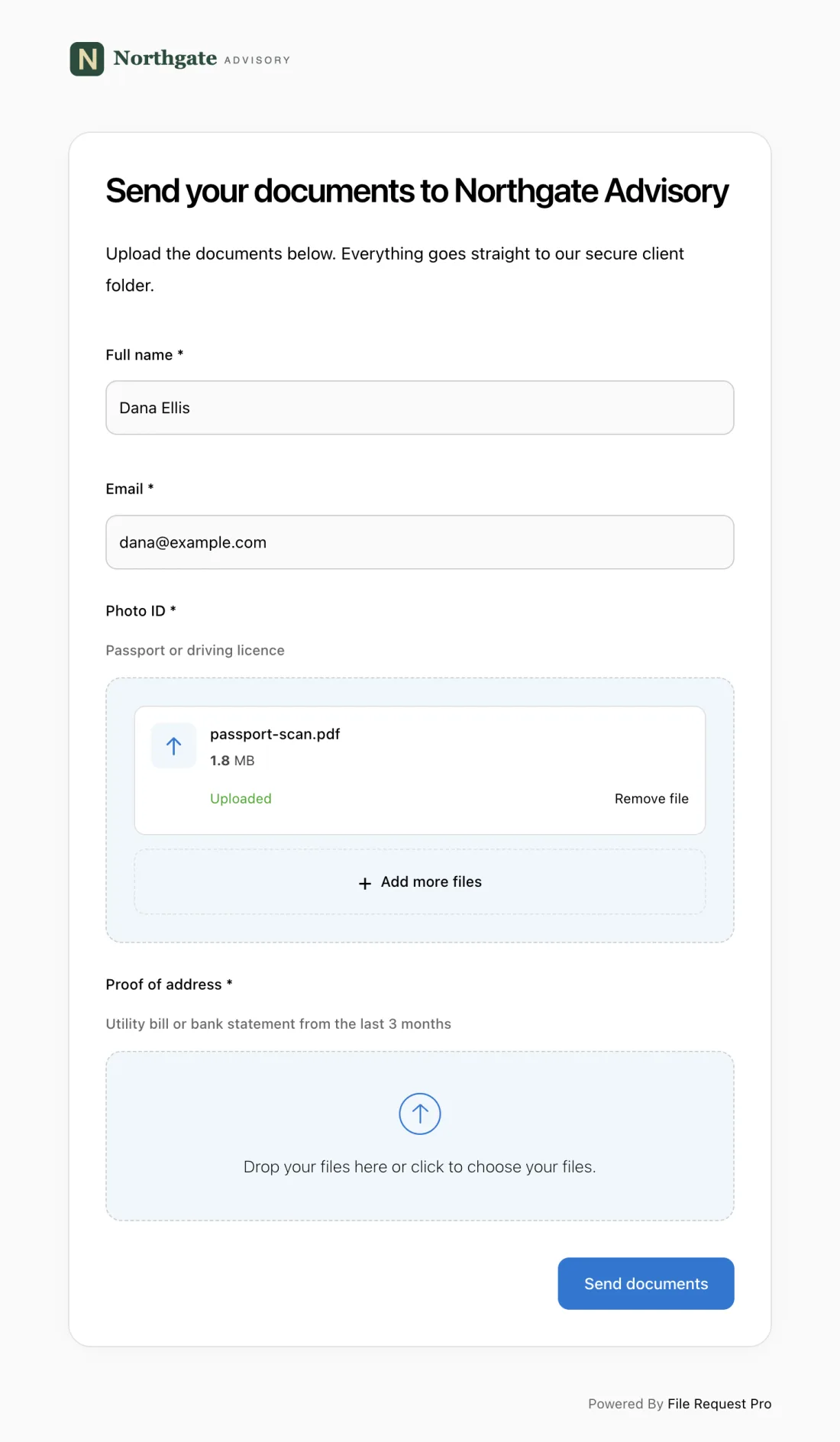
Here's how it works for construction daily reporting:
- Photo uploads from any phone — field workers open a link, fill in report fields, snap or attach site photos, and hit submit. No app to install, no account to create. A foreman can knock it out from the cab of their truck in 10 minutes.
- Automated reminders — set up automatic daily reminders so no one forgets to submit. If a super hasn't filed their report by 6 PM, they get a nudge. You stop being the nag.
- Cloud storage sync — reports and photos land in Google Drive, OneDrive, SharePoint, or Dropbox, organized by project, date, or subcontractor. No manual file sorting.
- No field worker accounts needed — crews click a link and submit. No passwords, no logins, no IT setup. That matters when you have 8 subs on site and half of them rotate every month.
- Organized by date and project — every submission is timestamped and tagged. When you need to pull reports for a specific week during a dispute, they're searchable in seconds.
- Form fields + file uploads combined — collect structured data (weather, headcounts, hours) alongside photos and documents (delivery tickets, inspection reports) in a single submission.
Everything lands in one place, on time, with context attached — no more chasing text messages and emailed photos from a dozen different subs.
Best Practices for Construction Daily Reports
Write it the same day — every day
A daily report written three days later is a memory exercise, not a record. The details that win disputes — exact times, specific quantities, who said what — fade fast. At minimum, capture the key facts (weather, headcount, major activities, delays) before you leave the site.
Be specific with quantities and locations
"Poured concrete" tells you nothing. "Poured 38 CY of 4500 PSI concrete at Building C foundation, grid lines A1-A4, per mix design #7" tells you everything. Specific entries are harder to dispute and more useful for tracking schedule performance.
Document delays in real time
Record every delay the day it happens. Note the cause, duration, trades affected, and any communication about the delay. If you gave verbal notice to the owner's rep, write that in the report. Contemporaneous records are worth ten times more than after-the-fact summaries.
Take more photos than you think you need
Shoot overview shots of each work area, close-ups of completed work (especially anything that will be covered up — rebar before the pour, framing before drywall, underground utilities before backfill), and any conditions that could become an issue later. Attach them to your daily report so they're tied to the right date and context.
Keep the format consistent
Use the same template every day, even when the day is slow. Consistent formatting makes it easier to compare days and spot trends. A thin report on a slow day beats no report at all.
FAQ
What should be included in a construction daily report?
A complete daily report covers project identification, weather and site conditions, workforce count by trade, equipment on site and hours operated, work completed with quantities and locations, materials delivered, safety incidents or observations, delays with causes and durations, and site photos. The goal: someone who wasn't on site should be able to reconstruct the day from your report alone.
Who is responsible for completing the daily report?
The site superintendent or foreman typically completes the master daily report. On projects with multiple subs, each may be contractually required to submit their own log. The PM reviews reports but usually doesn't write them.
Does OSHA require construction daily reports?
OSHA does not require a daily report form specifically, but it does require employers to maintain injury and illness records under 29 CFR 1904 (the OSHA 300 log). Daily reports serve as supporting documentation for those records and show compliance with safety training and site inspection obligations. During an OSHA investigation, daily reports are among the first documents requested.
How long should I keep construction daily reports?
At minimum, keep daily reports for the duration of the project plus the statute of limitations for construction defect claims in your state — which ranges from 4 to 12 years depending on jurisdiction. Many contractors keep them for 10+ years. When in doubt, keep them indefinitely. Storage is cheap. The cost of not having a report when you need it is not.
How do I get subcontractors to submit daily reports consistently?
Tie report submission to payment applications — if the sub hasn't submitted daily reports for the pay period, the pay app doesn't get processed. Beyond the contractual stick, remove friction. Give subs a simple form they can complete on their phone in 5-10 minutes, and set up automated reminders so it becomes habit, not a chore.
Can I use a construction daily report as evidence in a legal dispute?
Yes — daily reports are among the strongest forms of evidence in construction disputes. Courts give significant weight to contemporaneous records (documents created at or near the time of events). A daily report from the day of a delay, with specific times and details, is far more persuasive than testimony from memory months later. The key is consistency: reports completed every day, in the same format, carry more credibility than sporadic entries.
