Creating an Online Loan Application Form
Whether you're a small business or a larger organization, an online loan application form can help you streamline your loan process. Having an easy-to-use form allows your potential customers to quickly and easily answer the necessary questions and submit their applications to you. It ensures that your customers have all the information they need before even engaging with your organization.
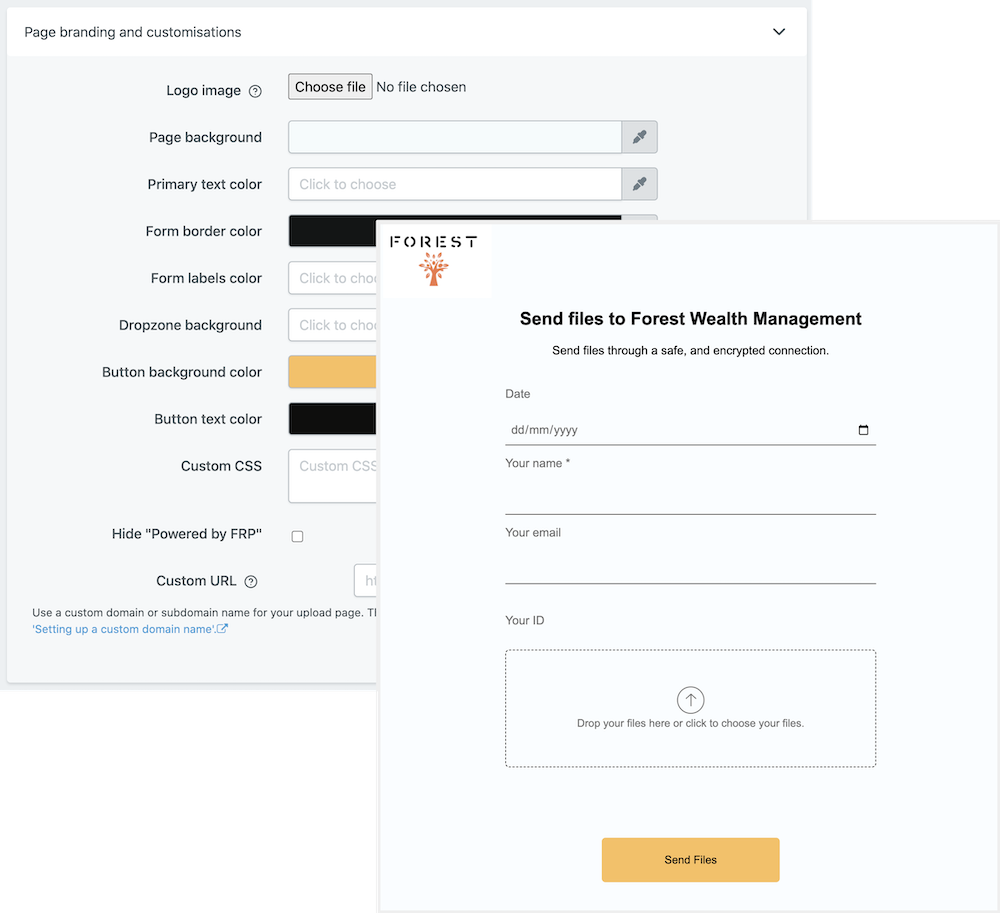
When creating an online loan application form there are several important factors to consider. The most important factor is to make sure your form is customisable, as it’ll be easier for clients to fill out if they can personalise the questions based upon their own needs. You'll also want to feature white-labeling options so that you can present your company's branding when clients view the form.
Once you've created the form, it's essential that the form is able to sync with a variety of file managers, such as Google Drive, Sharepoint, and Dropbox. This way, you can ensure your customers have the information they need at their fingertips, whether it's within their cloud storage or within your own system. Additionally, with email automation, you can notify potential customers when their application has been received and review their requests quickly.
If you're looking for a simple yet effective way to create a loan application form, File Request Pro is the perfect choice. With our customizable templates, you can easily create a secure form for potential customers, without any coding experience. Streamline your loan process today and experience the convenience of our automated features.
Frequently Asked Questions
- What information do I need to include in this Loan Application Form?
The Loan Application Form should include the borrower's personal and contact information, such as their name, address, phone number, and email address. The form should also contain detailed information about the loan amount sought, the purpose of the loan, the repayment terms and any collateral that will be pledged to secure the loan.
- What is the expected turnaround time for processing a Loan Application Form?
The turnaround time for processing a loan application form typically depends on the size and type of loan. Typically, a small loan may take 1-2 business days for processing, while a larger loan can take longer depending on the complexity of the application and amount of documentation required.
- Are there any legal requirements associated with a Loan Application Form?
Yes, some states have laws and regulations that must be followed when creating and submitting loan applications. Additionally, the lender may have their own specific requirements that must be followed. It is important to consult with an attorney or financial advisor to ensure that all legal requirements are met before submitting a loan application.
Multi-page forms
Use multiple pages for longer or complex forms. Clients click through using clear call to action
buttons, so they see only a few questions at once. Conditional logic can be applied to pages as
well as individual questions.
Read more about the flexible upload-page layouts.
Make life easy with integrations
File Request Pro natively connects with Google Drive, Dropbox, SharePoint and OneDrive. Set up
takes 2 minutes. Files are automatically sent to a folder or subfolder of your choice.
Learn about our integrations.