;
Publish a personal accident insurance claim form with File Request Pro to ensure all stakeholders have access to the necessary information. Create custom forms that meet your company's requirements with features like white-label branding, unlimited entries, and automated email notifications.
A personal accident insurance claim form is a document that enables anyone involved in an accident involving injury to state their version of events, and can be used by insurance companies to determine who is eligible for compensation. Publishing a personal accident insurance claim form is the best way to ensure all stakeholders have access to the necessary information.
Creating such forms can be difficult, however, as they must adhere to certain regulations and policies, and must be customized to fit the needs of the insurance company. Fortunately, with the right tools, it's easy to create a personal accident insurance claim form that meets all the necessary requirements.
File Request Pro is the ideal software for generating custom personal accident insurance claim forms. With File Request Pro, users can customize forms to meet the exact requirements of their company, and benefit from features like white-label branding, unlimited entries, and automated email notifications. Most importantly, users can sync up the forms with Google Drive, SharePoint and Dropbox – ensuring that changes can easily be made when needed.
Below the embedded version of Personal accident Insurance claim form Template. Click Here to view the full version on a new tab.
From creating custom upload forms to sending files to your favourite apps, File Request Pro is all you need to speed up and organise file collection.
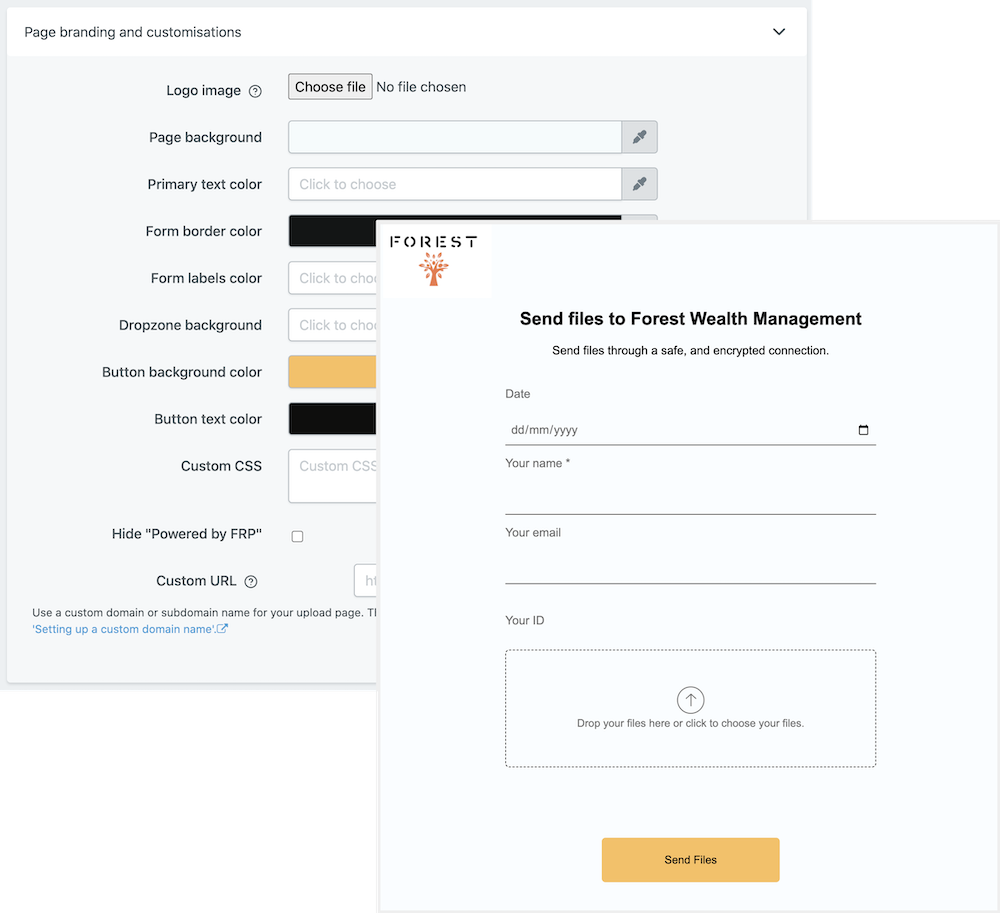
Add your own logo and company colours to the upload page. Choose your language. Make more detailed UI changes using CSS.
Learn more about branding your document collection process.
Hide and show form fields depending on user input. Only show your clients relevant questions and improve their user experience. Read more about conditional logic.
Find out more about conditional logic.
Use multiple pages for longer or complex forms. Clients click through using clear call to action buttons, so they see only a few questions at once. Conditional logic can be applied to pages as well as individual questions.
Read more about the flexible upload-page layouts.
File Request Pro natively connects with Google Drive, Dropbox, SharePoint and OneDrive. Set up takes 2 minutes. Files are automatically sent to a folder or subfolder of your choice.
Learn about our integrations.
The easiest way to offer a secure upload service that your clients will love.