;
Create your own anonymous feedback form quickly and easily - no technical skills required! File Request Pro helps you customize, share, and connect with storage services for added convenience. Start using our easy-to-use template today!
Creating an anonymous feedback form can be a challenging process, especially if you're unsure of where to start. Luckily, you have options. Our software File Request Pro is designed to make it easy for anyone to quickly and conveniently create an anonymous feedback form without any technical knowledge or prior experience.
With our platform, you can fully customize the look and feel of your form, share it with a white-label URL, and enable unlimited entries for each. Plus, you can connect your form with Google Drive, SharePoint, and Dropbox for added convenience. Our email automation system will ensure that your form recipients are notified promptly when your form is submitted.
Say goodbye to the complicated processes associated with creating an anonymous feedback form. With File Request Pro, you can have it up and running in no time! Test out our easy-to-use form template today and get started on creating your own anonymous feedback form.
Below the embedded version of Anonymous Feedback Form Template. Click Here to view the full version on a new tab.
From creating custom upload forms to sending files to your favourite apps, File Request Pro is all you need to speed up and organise file collection.
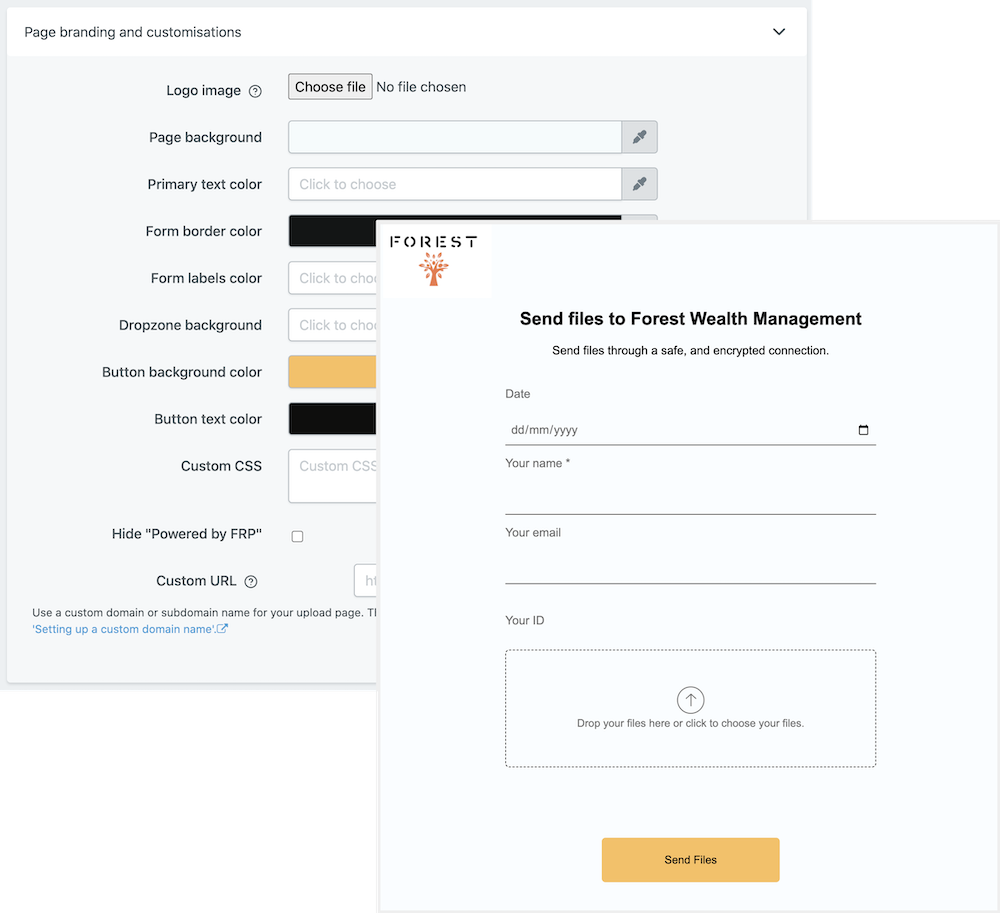
Add your own logo and company colours to the upload page. Choose your language. Make more detailed UI changes using CSS.
Learn more about branding your document collection process.
Hide and show form fields depending on user input. Only show your clients relevant questions and improve their user experience. Read more about conditional logic.
Find out more about conditional logic.
Use multiple pages for longer or complex forms. Clients click through using clear call to action buttons, so they see only a few questions at once. Conditional logic can be applied to pages as well as individual questions.
Read more about the flexible upload-page layouts.
File Request Pro natively connects with Google Drive, Dropbox, SharePoint and OneDrive. Set up takes 2 minutes. Files are automatically sent to a folder or subfolder of your choice.
Learn about our integrations.
The easiest way to offer a secure upload service that your clients will love.