Every accounting department knows the struggle: mileage reimbursement claims arrive as scribbled notes on sticky pads, half-completed spreadsheets forwarded from personal email, or vague Slack messages that say "drove to the client site last Tuesday, about 30 miles." Missing dates. No trip purpose. No odometer readings. The result is hours of back-and-forth to process what should be a five-minute expense. A standardized mileage reimbursement form template eliminates the guesswork, ensures every claim includes the information your finance team needs, and keeps your organization compliant with IRS requirements.
What Is a Mileage Reimbursement Form?
A mileage reimbursement form is a structured document employees use to report business-related driving and request reimbursement. It captures trip dates, starting and ending locations, the business purpose, and total miles driven. Most organizations calculate reimbursements using the IRS standard mileage rate, making accurate record-keeping critical for both tax compliance and audit readiness.
Whether you use a mileage reimbursement form PDF, a digital spreadsheet, or an online submission tool, the goal is the same: a consistent, verifiable record of every business mile driven.
IRS Standard Mileage Rates for 2026
The IRS sets standard mileage rates each year so businesses do not need to track gas, depreciation, insurance, and maintenance costs separately. In 2026, the IRS raised the business and medical/moving rates on July 1 because of higher fuel prices, so the rate depends on the trip date. Here are the rates for trips from July 1 to December 31, 2026:
- Business use: 76 cents per mile (72.5 cents from January 1 to June 30, 2026)
- Medical and moving purposes: 23.5 cents per mile (20.5 cents from January 1 to June 30, 2026). The moving expense deduction applies only to certain active-duty military and intelligence community members.
- Charitable purposes: 14 cents per mile (set by statute and rarely changes)
The IRS usually sets new rates each January and can revise them mid-year, as it did in 2026. Verify the current rate on the IRS website before processing reimbursements, and update your mileage form template whenever the rate changes. If your organization reimburses above the IRS standard rate, the excess may be considered taxable income for the employee.
Mileage Reimbursement Form Template: Complete Field Guide
This mileage reimbursement form template covers every field you need to process claims accurately, stay IRS-compliant, and maintain a clear audit trail. Copy the fields into your own paper form or spreadsheet, or use them to build an online form.
Employee Information
- Employee Full Name — Legal name as it appears on payroll records, so the reimbursement matches tax reporting documents.
- Employee ID Number — Internal ID number. Important in larger organizations where employees may share the same name.
- Department — The department or cost center to charge, so accounting can allocate travel costs across budgets.
- Manager / Supervisor Name — The approving supervisor. Including this upfront speeds up the approval workflow.
- Pay Period or Submission Month — The period the claim covers. Most organizations process mileage monthly or per pay period.
Trip Details (Repeat for Each Trip)
- Date of Trip — The exact date of travel. Vague entries like "sometime last week" are the top reason claims get sent back for revision.
- Starting Location — Address where the trip began (e.g., "Main Office, 123 Commerce St" or "Home Office"). The IRS requires this for substantiation.
- Destination — Address of the business destination, including client or site name for easy reference.
- Business Purpose of Trip — A brief, specific reason for the trip. "Client meeting" is acceptable; "stuff" is not. Examples: "Quarterly review with ABC Corp," "Delivered equipment to warehouse."
- Round Trip (Yes/No) — Whether the employee returned to the starting location. This affects total mileage and prevents accidental double-counting.
- Odometer Reading — Start — The odometer reading before departure. Provides verifiable evidence supporting the claimed mileage.
- Odometer Reading — End — The reading at the destination (or upon return for round trips). End minus start equals total miles.
- Total Miles for This Trip — Calculated from odometer readings or a mapping tool like Google Maps. If odometer readings are unavailable, note the estimation method used.
Reimbursement Calculation
- Total Business Miles (All Trips) — Sum of all trip miles for the submission period.
- Applicable Mileage Rate — The IRS standard rate or your company's approved rate. Note which rate is applied so there is no ambiguity during review.
- Gross Reimbursement Amount — Total miles multiplied by the rate. Example: 450 miles x $0.76 = $342.00.
- Less: Personal Miles Deduction — Miles for personal errands or non-business stops must be subtracted. Employees should note detours honestly.
- Net Reimbursement Amount — The final amount owed after subtracting personal miles, processed through payroll or accounts payable.
Approvals and Signatures
- Employee Signature — Certifies that all information is accurate and miles claimed were for legitimate business purposes.
- Employee Signature Date — Establishes when the claim was submitted and helps track submission deadlines.
- Manager Approval Signature — Confirms the supervisor has reviewed trip details, verified business purposes, and approved the reimbursement.
- Manager Approval Date — Records when the manager approved the claim. Useful for tracking reimbursement turnaround times.
- Accounting / Finance Approval — Final sign-off confirming the math is correct, the rate is current, and the claim is ready for payment.
Supporting Documentation
- Toll Receipts — Tolls are reimbursable separately from the mileage rate and need their own receipts.
- Parking Receipts — Parking at client sites, airports, or conference venues is reimbursed in addition to the per-mile rate. Attach receipts.
- Odometer Photos or GPS Screenshots — If your policy requires photographic evidence of odometer readings or GPS route logs, employees should upload images with each trip entry.
Workers' Compensation Mileage Reimbursement
Workers' compensation mileage covers travel to medical appointments, physical therapy, and independent medical exams related to a workplace injury. It operates under different rules than standard business mileage.
Key differences:
- Different rates may apply. Many states use the IRS business rate (76 cents per mile from July 1, 2026), but some set their own. California, for example, uses the IRS business rate for workers' comp travel.
- State-specific rules govern eligibility. Each state dictates which medical travel is reimbursable, minimum distance thresholds, and filing deadlines.
- The insurer typically pays. Workers' comp mileage is usually handled by the workers' compensation insurance carrier, not through your standard payroll process.
- Stricter documentation. Employees may need proof of the medical appointment (such as a doctor's note) alongside the mileage form.
If your organization handles workers' comp claims regularly, create a separate mileage form template that captures the claim number, treating physician, and appointment type alongside the standard trip details.
Company Mileage Policy Considerations
A mileage reimbursement form is only as good as the policy behind it. Before distributing your template, define these elements in your company mileage policy:
- Which trips qualify. Commuting from home to a regular office is typically not reimbursable. Travel between office locations, to client sites, or to off-site meetings generally qualifies. Be explicit about edge cases like training sessions or conferences.
- Pre-approval requirements. Do employees need manager approval before making a trip, or only when submitting the reimbursement? Pre-approval reduces disputes but adds friction.
- Submission deadlines. Set a clear deadline: "all mileage claims must be submitted within 30 days of the trip" or "by the 5th of the following month." Late submissions create accounting headaches and may not be tax-deductible.
- Maximum mileage thresholds. Require additional approval for trips over 200 miles round trip or when monthly mileage exceeds a set limit. This adds oversight for unusual claims.
- Acceptable documentation methods. Specify whether you accept odometer readings, GPS logs, mapping tool screenshots, or all three. Consistent documentation makes audits simpler.
- Rate and method. State whether you use the IRS standard mileage rate or a custom rate. If you use the actual expense method, document how employees should track fuel, maintenance, and insurance costs.
Put your mileage policy in writing, distribute it during employee onboarding, and reference it on the reimbursement form itself. This reduces confusion and gives managers a clear basis for approving or rejecting claims.
Collecting Mileage Forms from Your Team
A well-designed template is step one. The harder step is getting employees to fill it out correctly and submit it on time -- with the required receipts and photos attached.
Here is what typically goes wrong:
- Employees email spreadsheets with missing columns or outdated formats
- Toll and parking receipts arrive as separate attachments, disconnected from the trip they belong to
- Paper forms sit on a manager's desk for weeks waiting for a signature
- The accounting team chases down the same three people every month for late submissions
File Request Pro solves this. You create a branded mileage submission page where employees fill out trip details and upload receipts, toll documentation, and odometer photos in a single submission. No spreadsheets. No scattered email attachments. Everything arrives organized and ready to review.
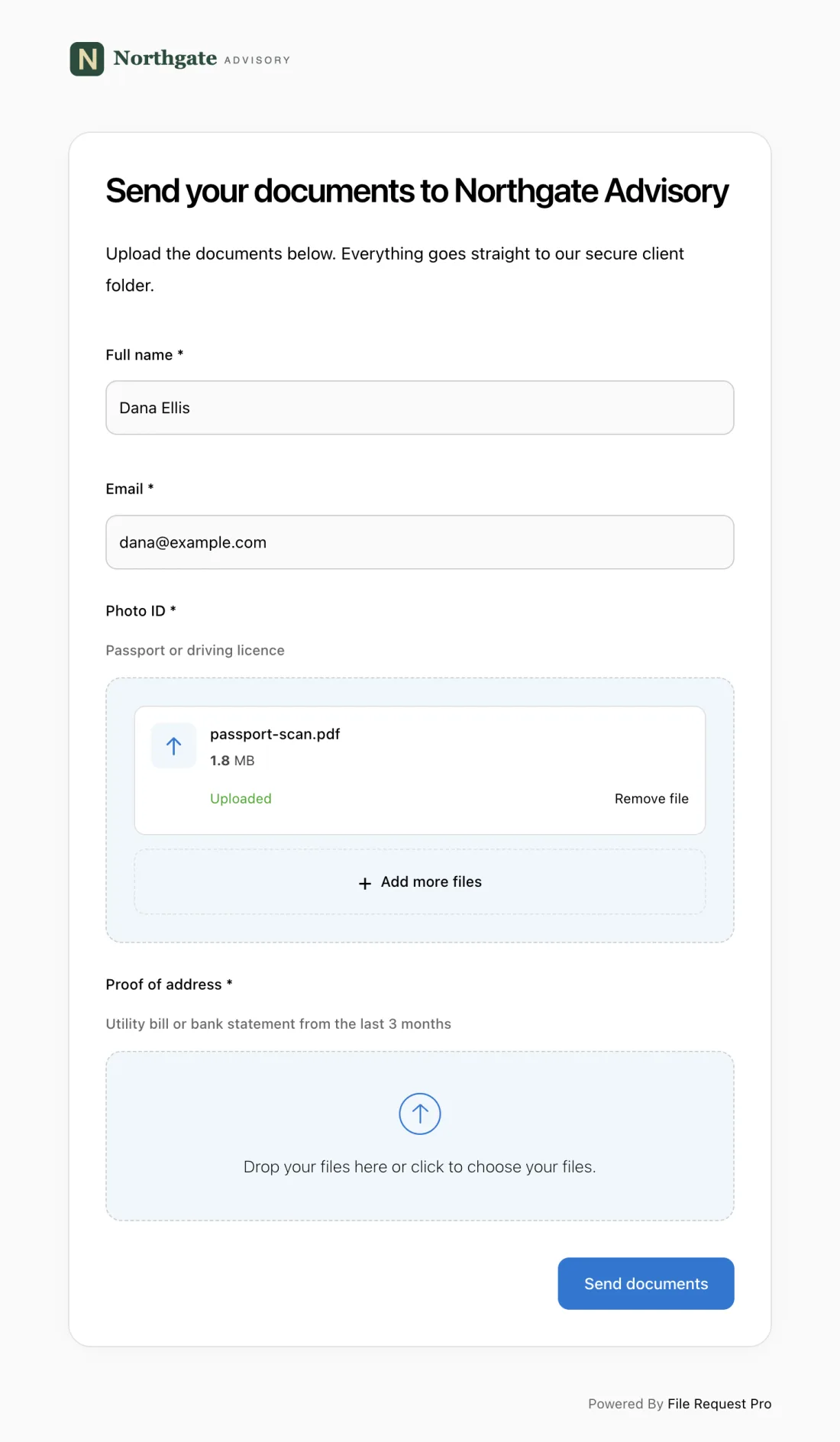
Here is how it works for mileage reimbursement:
- Custom form fields match your template. Set up the exact fields from the template above -- employee name, trip date, starting location, destination, business purpose, miles driven, and reimbursement amount. Employees fill everything out in one place.
- File uploads for receipts and documentation. Employees attach toll receipts, parking receipts, and odometer photos directly to their submission. No more hunting through email threads for a missing parking receipt.
- Automated reminders for late submissions. Set a monthly deadline and File Request Pro automatically nudges employees who have not submitted. Your accounting team stops being the bad guy.
- Automatic cloud storage sync. Submissions are saved to your Google Drive, OneDrive, or Dropbox (SharePoint on Pro plans and up), so you don't have to download and file them yourself.
- No employee accounts needed. Employees click a link, fill out the form, upload documents, and submit. No logins, no software installs, no training. Especially useful for field teams and remote workers.
If your team spends more time collecting and organizing mileage claims than reviewing them, it is time to automate the document collection workflow.
Best Practices for Mileage Reimbursement
- Log trips the same day. Employees should record mileage details the day the trip happens, not two weeks later from memory. The IRS expects contemporaneous records, and accuracy drops fast with delayed reporting.
- Use a single, standardized form. Do not let different departments create their own versions. One template across the organization ensures consistency and makes audits straightforward.
- Update rates every January. Set a calendar reminder to update your form template and mileage policy when new IRS rates take effect. Reimbursing at an outdated rate creates compliance issues.
- Separate personal and business miles clearly. If an employee runs a personal errand during a business trip, those miles must be deducted. Your form should make this easy to report, and your policy should state the expectation plainly.
- Keep records for at least three years. The IRS can audit mileage deductions going back three years (six years for substantial underreporting). Store completed forms, receipts, and approvals in an organized, searchable system.
Frequently Asked Questions
What is the IRS mileage rate for 2026?
For trips from July 1 to December 31, 2026, the business rate is 76 cents per mile, the medical/moving rate is 23.5 cents per mile, and the charitable rate is 14 cents per mile. From January 1 to June 30, 2026, the rates were 72.5, 20.5, and 14 cents per mile. Rates are typically announced each December for the following year, and in 2026 the IRS raised them mid-year because of higher fuel prices. Confirm the current rate on the IRS website before processing reimbursements.
Do I have to use the IRS standard mileage rate?
No. Employers can reimburse at any rate they choose. However, reimbursements above the IRS standard rate are generally considered taxable income for the employee. Some organizations use the actual expense method, where employees submit receipts for fuel, repairs, insurance, and depreciation. The standard mileage rate is simpler for most businesses.
Is commuting mileage reimbursable?
Generally, no. The IRS considers daily commuting between home and a regular workplace a personal expense. However, travel from your office to a client site, a secondary office, or a temporary work location is typically reimbursable. If an employee's primary office is their home, travel to company locations may qualify as business mileage.
How long should employees keep mileage records?
Keep mileage logs and supporting documentation for at least three years from the date you file the tax return claiming the deduction. If there is any chance of an audit or dispute, six years is safer. Digital records in cloud storage are easier to maintain and search than paper files.
Can employees use a mileage tracking app instead of a paper form?
Yes, and many organizations encourage it. GPS-based apps automatically log start and end points, calculate distances, and timestamp each trip. Employees still need to document the business purpose and submit data through your reimbursement process. A tracking app paired with a standardized submission form works well.
What is the difference between workers' comp mileage and regular business mileage?
Workers' comp mileage covers travel to medical appointments for a workplace injury; regular business mileage covers travel for normal job duties. Workers' comp may be reimbursed at a different rate depending on your state, is typically paid by the insurance carrier, and often requires stricter documentation such as proof of the medical appointment.
Stop Chasing Mileage Forms
A clear mileage reimbursement form template gives your team the structure they need to submit accurate claims. But the template is only half the solution. You also need a reliable way to collect completed forms, receipts, and approval signatures without drowning in email threads and paper trails.
File Request Pro lets you set up a dedicated mileage submission page in minutes -- no technical skills required. Employees fill out the form, upload documentation, and submit everything in one step. No accounts or software installs needed on their end. You get organized files in your cloud storage, automatic reminders for late submissions, and a complete audit trail for every claim. Start your free trial and see how much time your accounting team gets back.
